TEXA USA announced the IDC6 OHW 2026.20 software update for off-highway equipment on October 14, 2026. It updates 23 brands and adds 11 new dashboards, 14 new wiring diagrams and 27 new technical sheets across agricultural equipment, forklifts, telehandlers, construction machines and special vehicles. Here is what 2026.20 adds and where it helps in the shop.
The highlights in OHW 2026.20
TEXA called out three items in the 2026.20 release notes.
John Deere and John Deere (Brazil): EPC Power Quad / AutoQuad Plus
TEXA updated the EPC Power Quad / AutoQuad Plus control unit system for John Deere and John Deere (Brazil). If you service John Deere equipment that uses this control unit, this is the item to check first.
HANSA: excavator model
TEXA updated the HANSA excavator model.
Case IH and New Holland
TEXA updated the Case IH and New Holland brands. The release notes do not break this item down further, so check the coverage section on the TEXA website for your specific machines.
All 23 brands updated in 2026.20
TEXA updated diagnostic systems for these makes, as listed in the release notes:
Agricultural: Case IH, Fendt, John Deere, John Deere (Brazil) and New Holland
Construction: Case CE, Hamm, HANSA, Hitachi, John Deere CE, New Holland CE and Volvo CE
Cranes: Grove, Spierings Mobile Cranes and Tadano
Material handling: Fenwick, Linde and STILL
Engines: Caterpillar, Cummins, FPT, Perkins and Scania
TEXA counts regional versions such as John Deere (Brazil) as their own entries, which is how the list reaches 23.
Dashboards, wiring diagrams and technical sheets
The 11 new dashboards cover live data, adjustments, settings and system scanning. The 14 new wiring diagrams and 27 new technical sheets put more repair information inside the same software, so your techs spend less time looking for it and more time on the repair. For full model detail, TEXA points customers to its diagnostic coverage pages at texausa.com/coverage.
2026.20 builds on the earlier OHW releases TEXA has put out this year.
How to get the update
TEXA makes its IDC6 updates available to customers with a valid TEXPACK subscription. If your TEXPACK is active, the update is already available to you. If your subscription has lapsed, read why renewing your TEXA subscription matters, then give us a call. New to IDC6? Our IDC5 vs. IDC6 explainer covers what changed in the software platform.
Support from Defy Diagnostics
Active TEXA users get free remote support from Dave, 9 to 5 ET, plus unlimited remote training. We help with setup and activation, so you can get the new coverage working without guesswork.
TEXA released the IDC6 Marine 2026.05 software update on October 7, 2026. It is a focused release with two items: complete diagnosis for a long list of HIDEA engines, and new special settings for Yamaha Marine. If you work on boats with TEXA, here is what 2026.05 adds and what to check before you update.
That list runs from the HDEF 9.9 HES PRO EFI up to the HDEF 200 FE-T, so it reaches a wide spread of the HIDEA range in a single update. TEXA also flags HIDEA in the notes as an OEM continuous update.
For marine shops and dealers, that matters in a practical way. When a HIDEA engine comes into the shop, you can work on it with the same TEXA tool you already use on the other engines in your yard, instead of turning the job away or sending it elsewhere.
Yamaha Marine: new special settings
TEXA also added special settings for Yamaha Marine. TEXA does not list the individual procedures in the release notes, so check the coverage section on the TEXA website for your specific engines. Yamaha is one of the most common outboard brands on the water, so updates here reach a lot of the boats that come through a typical service department.
Before you update
TEXA includes two notices with this release that are worth reading:
Windows version: to use all of the functions in the IDC6 software, TEXA says your PC needs to run the latest version of Windows 10 or Windows 11.
Supported tools: software updates are not available for unsupported tools. If you are not sure whether your interface is still supported, ask us before you plan around this update.
For full model detail, TEXA points customers to the diagnostic coverage section of its website at texausa.com/coverage.
How to get the update
Marine 2026.05 is available to customers with a valid TEXPACK subscription. If your TEXPACK is active, the update is already available to you. If your subscription has lapsed, read why renewing your TEXA subscription matters, then give us a call.
Active TEXA users get free remote support from Dave, 9 to 5 ET, plus unlimited remote training. We help with setup and activation, so you can get the new coverage working without guesswork.
If you are adding marine diagnostics to your shop, browse our TEXA marine diagnostic tools and kits. Tell us which engines you see most, and we will quote a kit built around them.
A/C work used to start and end with a set of gauges. Hook up, read the pressures, add refrigerant, and send it.
That approach misses too much on today’s vehicles. R-1234yf needs dedicated equipment. Hybrids and EVs use high-voltage electric compressors. On EVs, the A/C system also helps cool battery packs and electronics, as the ASE Section 609 training manual points out. More of the system is run by sensors and modules.
Here is a practical flow for automotive A/C diagnosis on modern systems, how the leak detection methods compare, and which machine your shop or fleet actually needs.
Why gauges alone fall short
Gauges tell you what the pressure is. They do not tell you why. On a modern system, that gap shows up in a few places:
Refrigerant type. Gauges cannot confirm what is in the system. A contaminated or mislabeled system can ruin your machine’s refrigerant supply.
Small leaks. A slow leak can be the whole complaint and still be hard to find with gauges.
High-voltage compressors. These need non-conductive oil. International’s EV service guidance warns that as little as 1% standard PAG oil can reduce the dielectric properties of approved POE oil and damage the system.
Electronic control. On many systems, a pressure sensor feeds a control module, and the module decides when the compressor runs. A no-cool complaint can be a data problem, not a refrigerant problem.
A modern A/C diagnostic flow, step by step
1. Start with the scan tool
Before you connect a machine, pull codes and look at live data. Check the A/C pressure sensor reading, compressor request and command, and any HVAC module codes. On hybrids and EVs, follow the OEM procedure to disable high voltage before any A/C service.
2. Identify the refrigerant before recovery
Never recover blind. R-1234yf machines certified to SAE J2843 use an integrated or external identifier, and the refrigerant must read at least 98% pure R-1234yf before the machine allows recovery, per the ASE 609 manual. Contaminated refrigerant goes to a reclaimer, not into your machine.
3. Recover, weigh, evacuate, and watch for vacuum decay
Compare what you recovered to the vehicle’s specified charge. A big shortfall confirms a leak before you start hunting. Measure the recovered oil so you can replace the right amount.
Then evacuate. J2843 machines hold the system under vacuum and monitor for decay. If the vacuum decays too much, the machine flags a leak and will not let the recharge continue.
4. Find the leak
Pick the method that matches the leak. More on that below.
5. Repair, recharge by weight, and verify
Recharge to the specified weight, not to a pressure reading. Then go back to the scan tool and confirm the sensor reading, compressor command, and vent temperature all make sense.
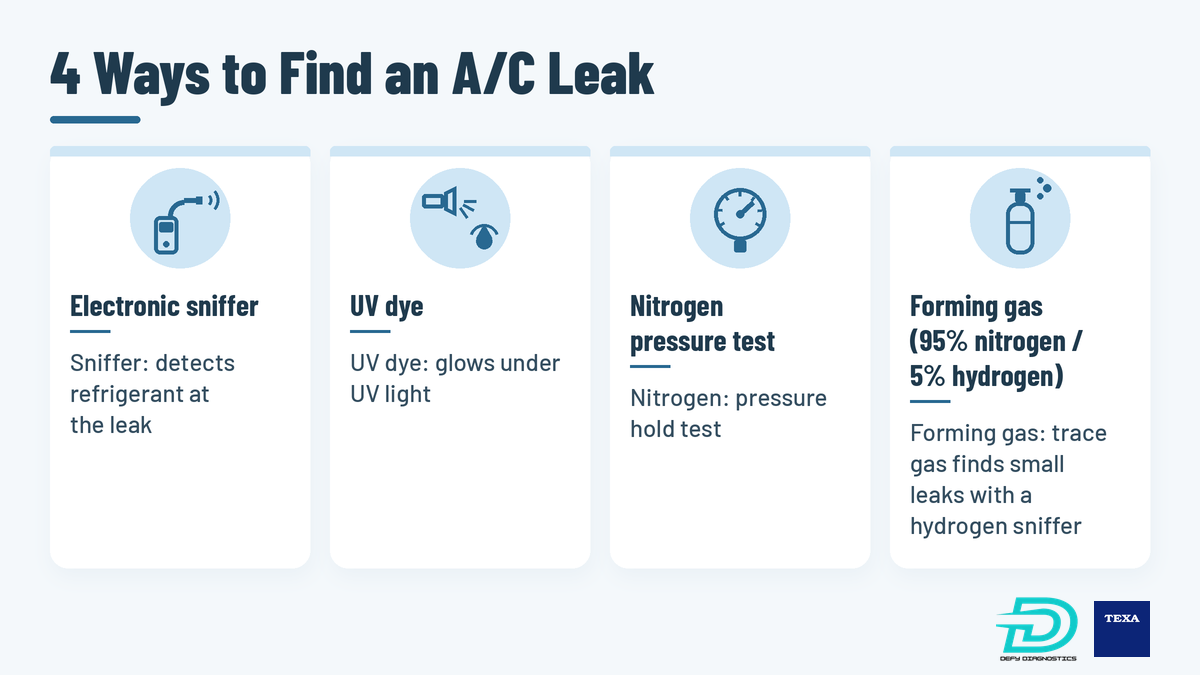
A/C leak detection methods compared
Every method has a place. The trick is knowing what each one can and cannot tell you.
Method
What it tells you
Limits
Electronic refrigerant sniffer
Locates refrigerant escaping from a charged system
Needs refrigerant in the system; underhood chemicals can cause false triggers
UV dye
Shows where dye has collected at a leak
The system has to run long enough for dye to reach the leak
Nitrogen pressure test
Confirms whether the system holds pressure
Does not pinpoint where the leak is
Forming gas (95% N2 / 5% H2)
Locates very small leaks using a hydrogen sniffer
Needs a forming gas supply, regulator, and hydrogen detector
Electronic sniffers
Detectors for R-134a are certified to SAE J2791, and R-1234yf detectors to SAE J2913. Both standards include a 0.15 oz (4 g) per year sensitivity scale. SAE J1628 says to test with the system off, at least 50 psi static pressure, and the probe moving no faster than 3 inches per second.
UV dye
SAE J2297 covers dye stability and compatibility for R-134a and R-1234yf systems. Dye circulates with the refrigerant and oil and collects at the leak point. It works well on leaks you can see, but it is not instant.
Nitrogen pressure test
Pressurizing with dry nitrogen is a solid pass or fail check. As TEXA notes, pure nitrogen can show you have a leak but does not show where it is.
Forming gas trace testing
Forming gas is 95% nitrogen and 5% hydrogen. Hydrogen is the lightest element, and at this ratio the mixture is classified as non-flammable. Because hydrogen molecules are so small, they escape through leaks that refrigerant-based methods can miss, and a hydrogen sniffer picks them up.
After recovery, you fill the system with forming gas at the desired pressure and scan the joints. Hydrogen rises, so keep the probe above the area you are testing. No dye goes into the system, and no refrigerant is lost while you search. TEXA says the method meets Daimler AG’s requirements for gas detectors.
Use scan data, not just pressures
TEXA IDC6 software reads live engineering parameters from vehicle control units. Its Dashboards display those parameters with graphics of the system and its operating logic. Coverage varies by vehicle, so check your make and model.
Start with three checks:
Pressure sensor vs. gauge. Compare the sensor value in IDC6 with the machine’s pressure reading. If they disagree, suspect the sensor or its circuit.
Compressor command. See whether the module is requesting the compressor and why it might be holding it off.
HVAC module codes. Blend door, temperature sensor, and communication faults can all look like a refrigerant problem.
At the MEMA Technology Conference on October 6, Orbia Fluor and Energy Materials presented two new blends. It describes R-456A as a direct replacement for R-134a and R-444A as a low-cost replacement for R-1234yf.
The regulatory status matters. EPA has proposed listing both blends as acceptable, subject to use conditions, for certain retrofit vehicle A/C uses under SNAP Proposed Rule 27, with a supplemental proposal in April 2026. As of October 9, 2026, that rule is not final.
For shops, the takeaway is simple. Expect to see more refrigerant types and retrofit labels. Identify before every recovery, and confirm both the vehicle and your equipment are approved for a refrigerant before you service it.
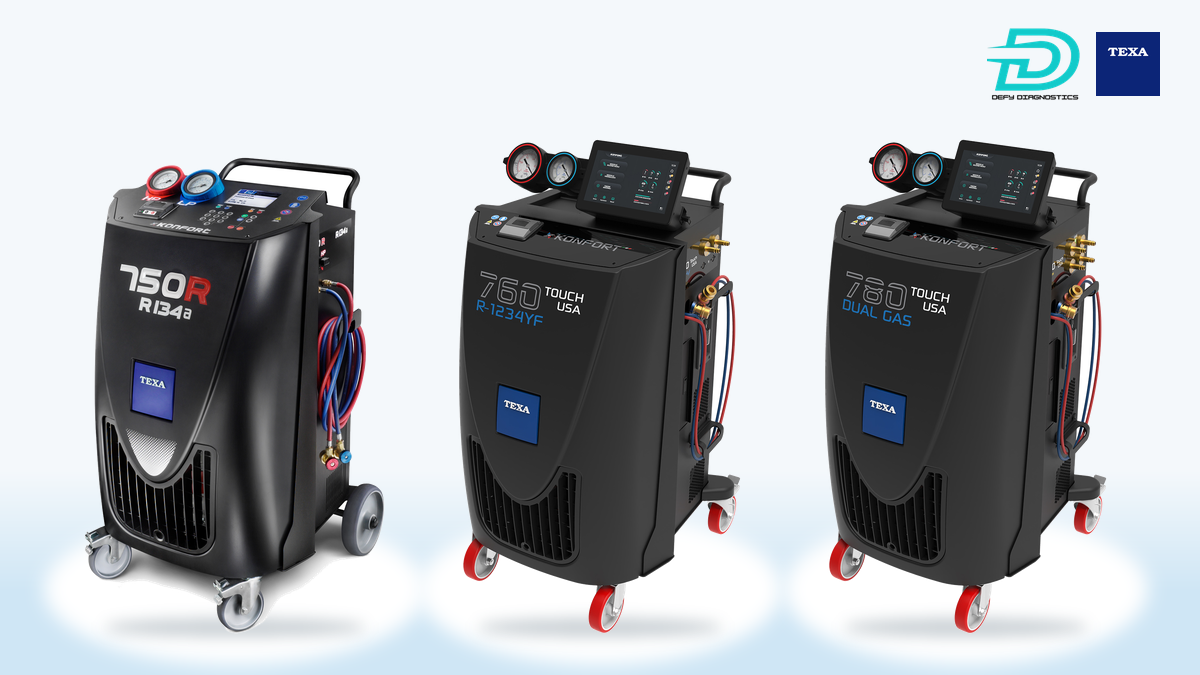
The TEXA Konfort 760 R1234YF handles R-1234yf with fully automatic service, automatic refrigerant identification, automatic leak detection, electronic scales for refrigerant and oil, hybrid compatibility, a two-stage vacuum pump, and over 95% recovery efficiency. See how it stacks up in our Konfort 760 vs. Robinair AC1234-9 comparison.
Still seeing mostly older R-134a vehicles? The TEXA Konfort 750R is fully automatic, with an electronic scale accurate to +/- 5 grams, and conforms to SAE J2099 and J2788.
Mixed shops: dual-gas
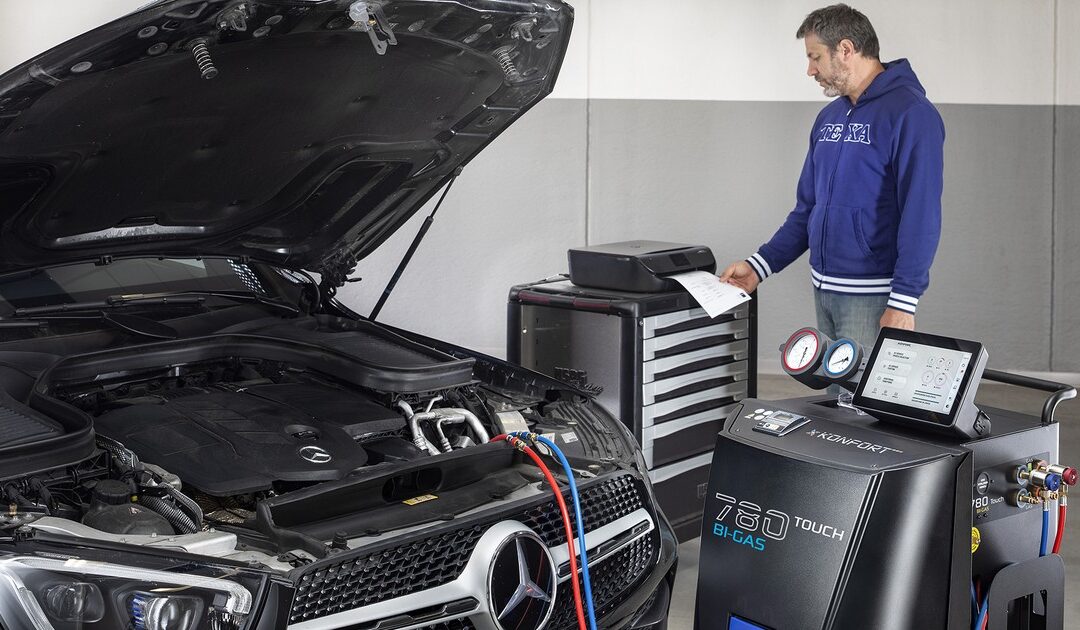
If you see both refrigerants every week, the TEXA Konfort 780 Touch runs R-134a and R-1234yf on two separate circuits with two 20 lb tanks. It has a refrigerant identifier, automatic leak detection, over 97% recovery efficiency, and flushing for refrigerant and oil changes. The forming gas kit is listed as an option. Our Konfort 780 vs. Snap-on Polartek breakdown covers changeover time and cost.
Heavy-duty and government fleets
Fleets rarely service just one vehicle type. Pickups and vans sit next to trucks and buses, so a dual-gas machine covers more of the lot. Check the underhood label on every unit.
Electric buses add another wrinkle. International’s service guidance for its electric school buses and eMV trucks recommends using a dedicated A/C machine for EV systems that use POE or PVE oil where possible, plus a dedicated oil injector for each oil type. For long reach on trucks and buses, add the Konfort 3-meter extension hose kit.
Add the forming gas leak detection kit
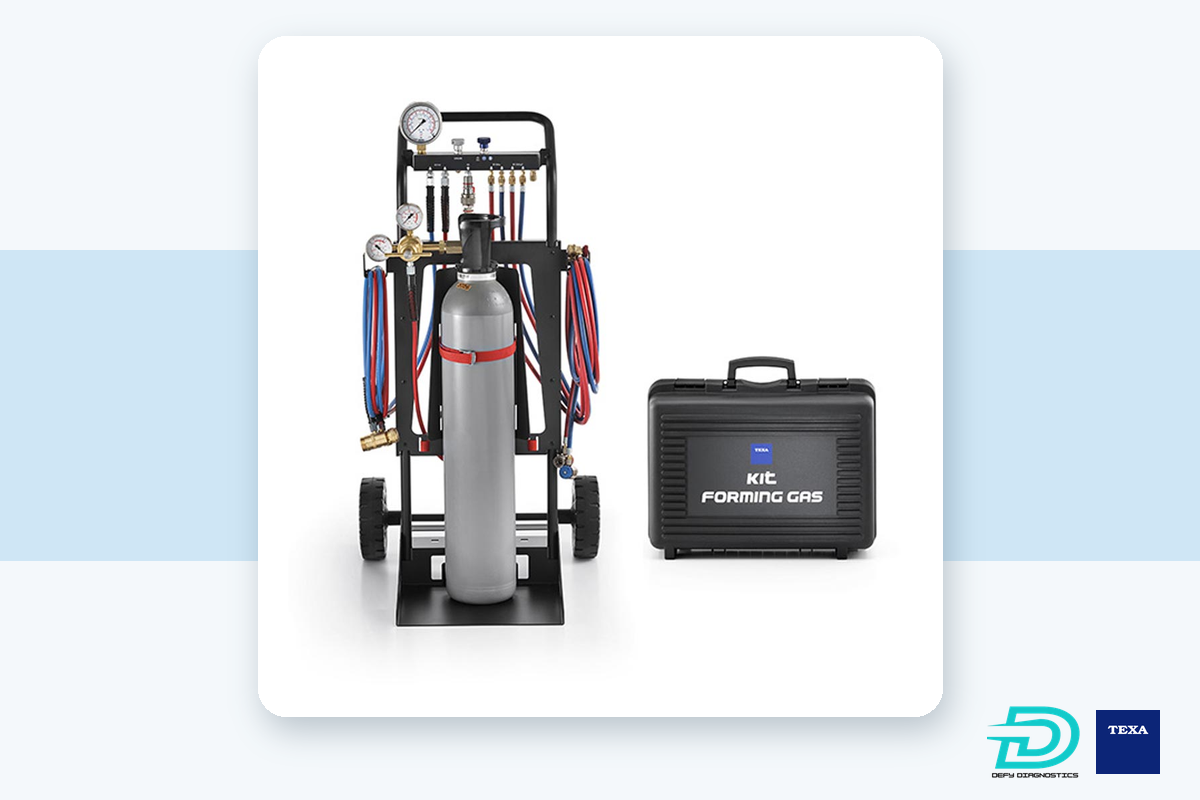
A leak you miss is a vehicle that comes back. Our TEXA Forming Gas Leak Detection Kit is $3,340 and is built for R-134a and R-1234yf systems. It includes:
Forming gas regulator with pressure gauge
Forming gas cart
Hose kit and fittings
Instructions for use with the TEXA sniffer or other compatible hydrogen detectors
Can you diagnose a modern A/C system with gauges alone?
Not reliably. Gauges show pressure, but they cannot identify the refrigerant, find a small leak, or show what the control module is commanding. Pair them with an identifier, a leak detection method, and scan data.
What is forming gas, and is it safe for A/C leak detection?
Forming gas is 95% nitrogen and 5% hydrogen. The blend is classified as non-flammable. A hydrogen sniffer finds the hydrogen escaping from even very small leaks.
Do I need a refrigerant identifier?
Yes. Equipment certified to SAE J2843 must confirm R-1234yf is at least 98% pure before it will recover. Identifying first also protects your machine and refrigerant supply from contamination.
Are R-456A and R-444A approved for vehicle A/C?
Not yet. EPA has proposed listing both as acceptable, subject to use conditions, for certain retrofit uses. As of October 9, 2026, that rule is not final.
Build the right A/C setup for your bays
A Konfort machine handles recovery, evacuation, and recharge by weight. The forming gas kit finds the leaks that cause comebacks. IDC6 shows you what the modules are doing. Together, they replace guesswork with answers.
Check our Specials page for current offers, or let us help you pick the right combination for your shop or fleet.
It is 5 AM, 20 degrees, and the starter is spinning. The first instinct is to grab the jumper cables. Most of the time, the batteries are not the problem. The fuel has gelled or iced, and the filters cannot pass it.
That scene comes from a recent Construction Equipment article by Jessica Crabtree, a fuel chemist and director of technical services at Power Service Products. Her point is simple: on modern common-rail engines, winter problems are cheaper to prevent than to fix. This checklist pulls her fuel advice together with OEM guidance on diesel exhaust fluid (DEF), so your trucks and equipment are ready before the first hard freeze.
Why winter is harder on modern diesel fuel systems
Older mechanical engines ran around 3,000 psi through 30-micron filters. Per the Construction Equipment article, modern Tier 4 Final and Stage V common-rail systems run pressures over 30,000 psi with clearances under two microns, and they use filters fine enough to trap wax crystals that older systems passed through.
Diesel does not freeze solid like water. As it cools, paraffin wax drops out of solution. The fuel turns hazy at its cloud point, which the article puts at typically 30°F to -10°F depending on the fuel, and then plugs filters at the cold filter plugging point (CFPP).
When a filter plugs, the high-pressure pump is starved. The article explains that this can strip the pump’s lubricating film and score the plungers, and if the system cannot build the rail pressure the ECM needs to fire the injectors, the engine just cranks.
Biodiesel blends and water make it worse
Much of the diesel sold today contains some biodiesel. The U.S. Department of Energy notes that higher biodiesel blends can gel in cold temperatures. The Construction Equipment article adds that biodiesel pulls moisture from the air, and that water settles in the tank and water separator, where it turns to slush and ice at 32°F. Standard petroleum anti-gels will not handle biodiesel fallout, so winter additives must be made for biodiesel blends.
Winter diesel fuel checklist
Work through these items now, while temperatures are still above your fuel’s cloud point.
Treat fuel before it reaches its cloud point. Anti-gel additives keep wax crystals small enough to pass the filter. They do not fix wax that has already formed. Treat bulk fuel at delivery when possible so the additive mixes in fully.
Use an additive matched to your fuel. If you run biodiesel blends, use a winter additive formulated for them. Look for a package with a cold flow improver, de-icer and cetane improver.
Check bulk tanks for water. Use water-finding paste on a gauge stick weekly, and pump water out from the lowest drain point before it reaches the transfer pump pickup.
Filter at the transfer pump. The article recommends a 10-micron water-absorbing filter on the transfer pump discharge.
Change primary and secondary filters before winter. Summer sediment in an old filter gives wax crystals a head start.
Service water separators. Clean the sediment traps, inspect plastic bowls for cracks, and verify the water-in-fuel (WIF) sensor probes are clean and working.
Top off tanks at the end of the shift. Filling to about 95 percent at shutdown reduces headspace air and overnight condensation.
Stock the service trucks. Keep an emergency de-icer that reliquefies fuel without stripping lubricity.
Winter DEF checklist
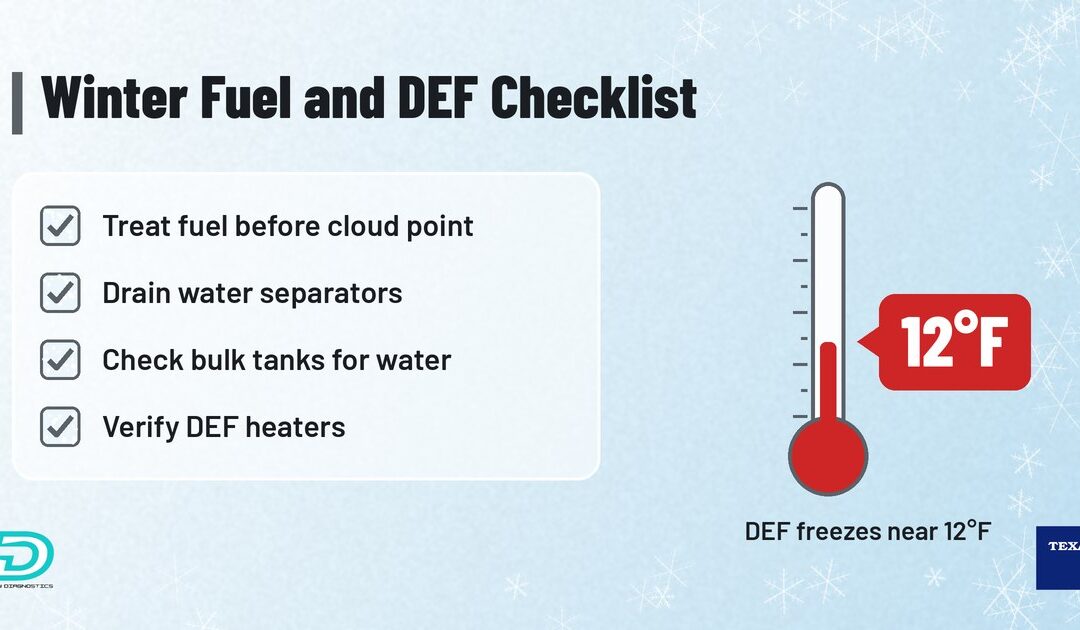
DEF is a solution of urea and deionized water, and it does freeze. A GM service bulletin on DEF, posted by NHTSA, states that DEF freezes at about 12°F (-11°C) and expands when it freezes. That is normal. SCR systems are built for it, with heated tanks and lines that thaw the fluid after start-up.
What causes trouble is the stuff around the freeze. Here is what to check.
Do not overfill DEF tanks. Tanks are designed with air space for expansion. The same GM bulletin warns that overfilling may not leave room for that expansion when the fluid freezes.
Do not add a freeze-point improver to DEF. Per the GM bulletin, it alters the DEF mixture and can trigger a poor exhaust fluid quality warning.
Use certified DEF. The GM bulletin calls for DEF labeled API-certified or ISO 22241.
Verify tank and line heaters on a cold start. Frozen DEF should thaw after start-up. If a unit throws DEF heater, quality or level codes on cold mornings, check the heater circuits before you condemn the doser or sensors.
Expect delayed level readings. The GM bulletin notes that a fully frozen tank can take almost an hour after start-up before the system detects a refill, because the level sensor cannot read frozen fluid.
Store bulk DEF indoors. The GM bulletin says DEF is best stored out of direct sunlight between 12°F and 86°F.
Scan before the first hard freeze
The best time to find a weak heater, a failing water-in-fuel sensor or a marginal fuel pressure reading is on a mild day in the shop, not on the side of a road in January. A pre-winter scan gives you a baseline and catches problems while they are still cheap.
Pull and record fault codes in the engine and aftertreatment modules, including stored and inactive codes. Our DTC library can help you decode them.
Check fuel system live data such as fuel and rail pressure while cranking and at idle, compared with the OEM specification.
Check DEF system parameters such as tank temperature, level and heater status, where the vehicle supports them.
Run supported tests and regens before winter instead of during it.
Clean up open aftertreatment issues now. A DPF or SCR problem that limps through fall can become a derate in the cold.
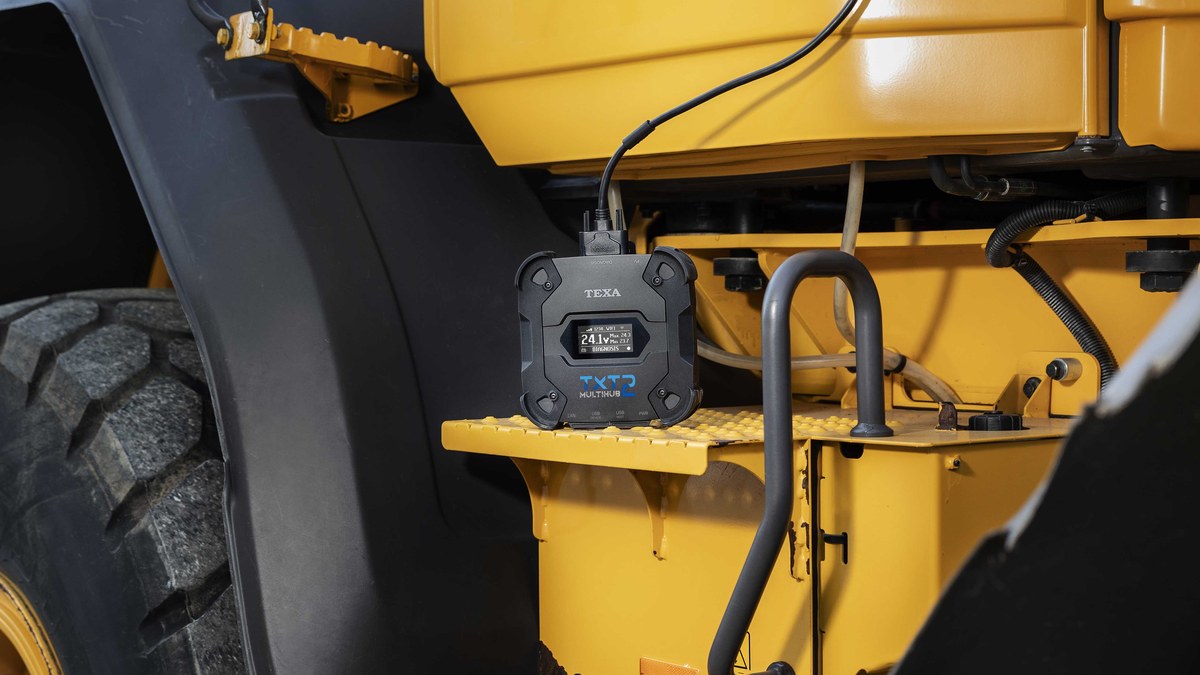
With TEXA IDC6 Truck or Off-Highway software and a TEXA Navigator TXT Multihub 2, you can read fault codes, view live parameters and run bi-directional tests and DPF regens on supported trucks and equipment. Available functions depend on the vehicle and OEM. If you need a wiring check on a heater circuit, our free diesel truck wiring diagrams are a good place to start.
Who should run this checklist
Fleet maintenance managers with trucks that sit outside overnight.
Government and municipal fleets getting snowplows and winter equipment ready.
Independent diesel and off-highway shops that will see no-start calls in the first cold snap.
Mobile diesel techs who work on jobsites and in yards.
Technical schools teaching cold-weather service on modern common-rail and SCR systems.
It depends on the fuel. Diesel starts to cloud as wax forms at its cloud point, typically between 30°F and -10°F, and can plug filters at its cold filter plugging point. Biodiesel blends can gel earlier.
When should I add anti-gel to diesel fuel?
Before the fuel reaches its cloud point, ideally when bulk fuel is delivered. Anti-gel additives do not fix wax that has already formed.
At what temperature does DEF freeze?
DEF freezes at about 12°F (-11°C). This is normal, and SCR systems use heated tanks and lines to thaw it after start-up.
Can I add anything to DEF to keep it from freezing?
No. A freeze-point improver alters the DEF mixture and can trigger a poor fluid quality warning. Use API-certified or ISO 22241 DEF.
Why does my DEF gauge read wrong on cold mornings?
The level sensor cannot read frozen DEF. A fully frozen tank can take almost an hour after start-up before a refill is detected.
What should I scan before winter?
Pull engine and aftertreatment fault codes, check fuel and rail pressure live data, check DEF heater and temperature readings where supported, and clear up open DPF or SCR issues.
Earlier this week we covered dyed diesel on the highway. Texas now has a second fuel change, and this one can hurt modern trucks.
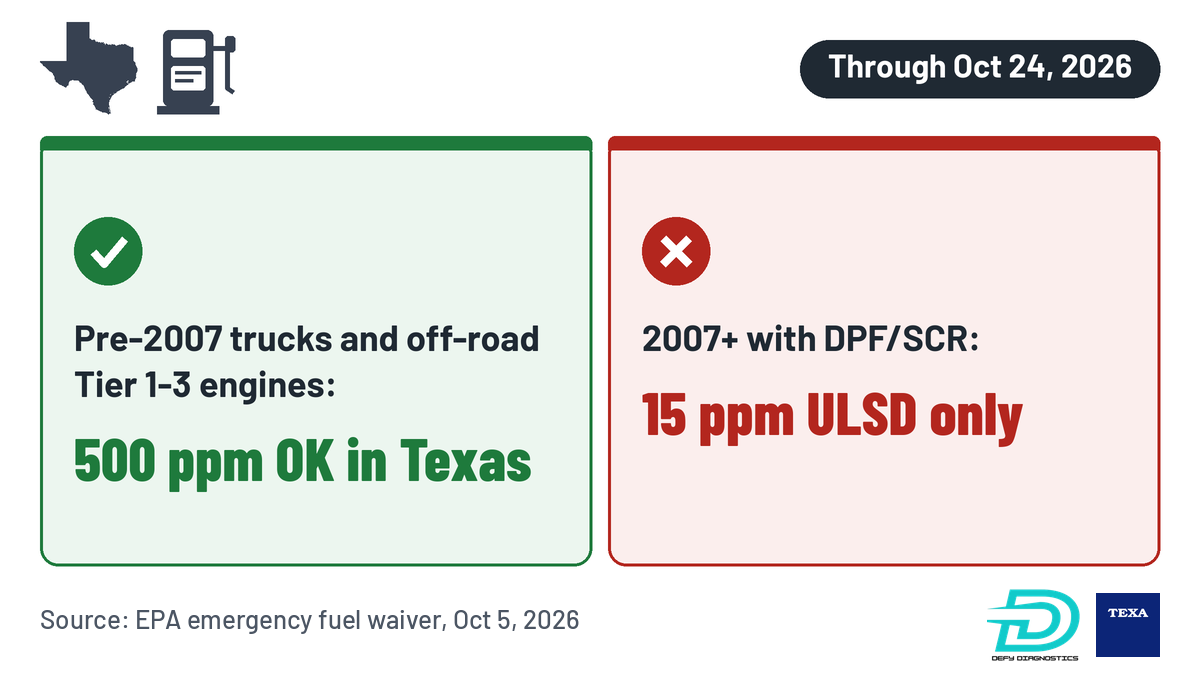
On October 5, EPA granted Texas an emergency fuel waiver that allows diesel with up to 500 ppm sulfur to be produced and sold in the state. Normal highway diesel is capped at 15 ppm. If your fleet runs Texas lanes, here is what matters.
What the Texas diesel fuel waiver does
At Governor Abbott’s request, EPA temporarily waived the federal ultra-low sulfur diesel (ULSD) standard and the Texas Low Emission Diesel (TxLED) rules. It applies only in Texas.
The waiver runs October 5 through October 24, 2026, the 20-day maximum the Clean Air Act allows. EPA says it stands ready to extend it if supply conditions warrant. As of October 9, no extension had been issued.
Fuel made under the waiver before it expires can be sold until it runs out, so higher-sulfur fuel could stay in Texas tanks past October 24.
Who can use it, and who can’t
Under EPA’s letter, the 500 ppm fuel is only for:
Highway vehicles with engines built before the 2007 engine model year.
Nonroad engines certified to Tier 1, Tier 2, or Tier 3.
It may not go in anything equipped with a diesel particulate filter (DPF) or catalytic emission controls, such as SCR. Tier 4 nonroad engines must stay on ULSD. EPA notes that many 2007 model year trucks have 2006 engines, so check the emissions label on the engine, not the title.
Sellers must give buyers EPA’s warning, which says anyone using the fuel assumes all responsibility for damage.
What the OEMs are saying
Cummins told CCJ it still recommends customers follow the fuel specifications for their engines:
Failure to use the approved fuel (maximum 15ppm sulfur diesel fuel for Tier 4 and 2007 and newer engines) can damage the engine and aftertreatment system.
Cummins, statement to CCJ
Failures caused by incorrect fuel will be denied warranty coverage, Cummins added, as Overdrive also reported. International told CCJ that damage from fuel not meeting EPA requirements and ASTM D975 ULSD specs “may affect warranty coverage.” Daimler Truck North America said fuel must meet its guidelines, including ASTM D975.
Where dyed diesel fits
These are two separate changes. Texas suspended its state limits on dyed diesel on highways September 28, though the 20-cent state tax is still owed. EPA’s waiver is about sulfur and TxLED. It does not mention dye.
Color tells you tax status, not sulfur content.
What fleets on Texas lanes should do now
Check pump labels. Look for the EPA warning or anything other than 15 ppm ULSD before fueling a 2007 or newer truck.
Keep fuel receipts. If a warranty question comes up, you will want the record.
Train drivers. Brief anyone fueling in Texas this month.
Watch the aftertreatment. Note new DPF, SCR, or NOx sensor codes and any change in regen frequency. Do not wait for a 5 MPH derate.
Scan early. If a truck may have taken the wrong fuel, pull codes and check aftertreatment data before the next run.