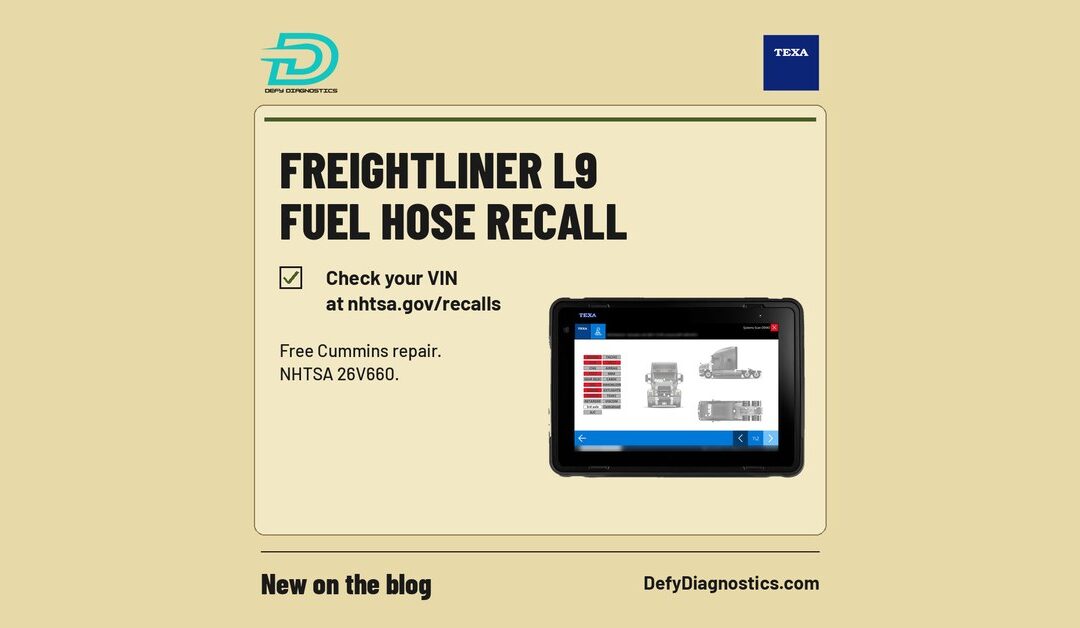
Daimler Truck North America (DTNA) is recalling 2,592 Freightliner trucks and Freightliner Custom Chassis (FCCC) units equipped with certain Cummins L9 diesel engines. According to the NHTSA recall notice (26V660), the remote fuel filter hoses may separate from the fitting, causing a fuel leak and an engine stall.
If you run or service medium duty Freightliners with the L9, here is what is covered and what to do now.
Which trucks are affected
NHTSA lists these models, all with certain Cummins L9 engines:
2022 to 2025 Freightliner Business Class M2
2023 Freightliner 108SD
2022 to 2027 FCCC XCM and XCR
2024 to 2027 FCCC XCS and XBS
Not every truck on that list has the problem. DTNA estimates about 3 percent of the recall population is affected, and no warranty claims or injuries related to the defect have been reported, according to Land Line.
Why it matters
NHTSA states that a fuel leak in the presence of an ignition source increases the risk of a fire, and an engine stall increases the risk of a crash.
Land Line reports that drivers or techs may notice the problem by seeing or smelling signs of a fuel leak around the truck, and that a warning light may come on with fault code FC559 for low fuel pressure.
Where it started
The DTNA recall follows a Cummins engine recall filed with NHTSA on September 28, 2026. That recall (26E066) covers 39,052 L9 diesel engines, part number D563027BX03. Land Line reports that PACCAR also bought some of those engines but had not issued a similar recall as of mid-October.
The fix
Cummins will replace the fuel hoses free of charge. Owner notification letters are expected around November 20, 2026. The repair is handled by Cummins and its authorized dealers, not by an independent shop or diagnostic tool.
Recall contacts, per NHTSA:
DTNA customer service: 1-800-547-0712, recall number F1042
Cummins customer service: 1-800-286-6467, recall number C7311
NHTSA campaign numbers: 26V660 (DTNA) and 26E066 (Cummins)
A practical checklist for fleets and shops
Check every VIN. Use NHTSA’s recall lookup for each M2, 108SD and FCCC chassis in your fleet. Do not wait for the letter.
Walk around the truck. Look and smell for fuel at the remote fuel filter area during pre-trip and yard checks.
Watch for FC559. A low fuel pressure fault on an affected truck is a reason to inspect before the next run.
Scan before you guess. A full diagnostic tool lets you read active and stored fault codes, so you know what the truck is reporting.
Book the recall. If the VIN is included, contact Cummins or DTNA to schedule the free repair.
Where TEXA IDC6 Truck fits
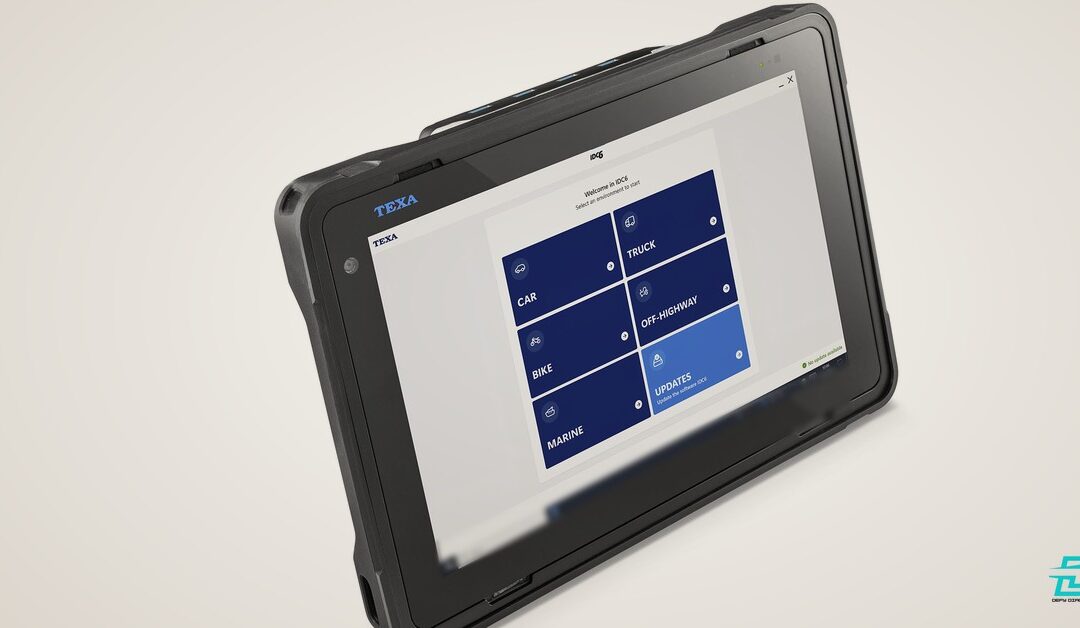
TEXA IDC6 Truck covers Freightliner and Cummins engines, so your techs can read fault codes like FC559 and check fuel pressure live data in your own bay. That helps you confirm what is going on and decide when a truck needs to go in for the recall. The recent TEXA IDC6 Truck 2026.20 update added new Cummins coverage and wiring diagrams. Browse our diesel diagnostic kits to see what fits your fleet.
Support from Defy Diagnostics
Active TEXA users get free remote support from Dave, 9 to 5 ET, plus unlimited remote training. We help with setup and activation.
PACCAR has announced PACCAR Connect, a new factory-integrated platform that brings telematics, driver productivity tools and fleet applications together in Kenworth and Peterbilt Class 8 trucks. The platform was unveiled on October 19, 2026 at the American Trucking Associations’ Management Conference and Exhibition (ATA MCE) in Charlotte, North Carolina. According to the PACCAR press release, it will be available across both truck brands beginning early 2027.
Here is what was announced, and what it means for the technicians who keep those trucks running.
What PACCAR Connect is
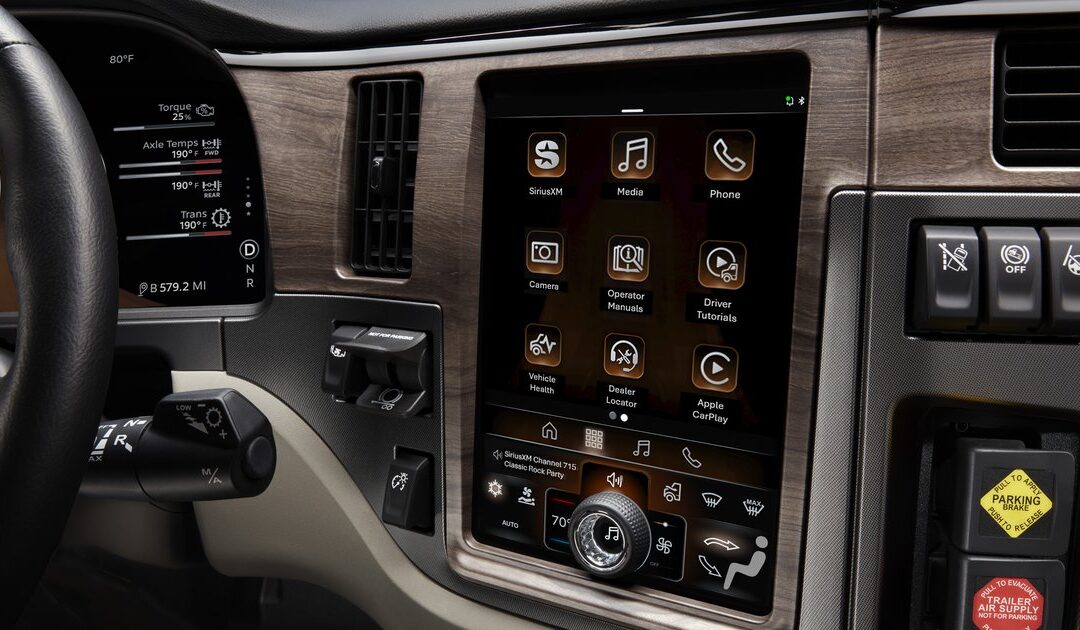
PACCAR Connect runs through a new touchscreen display in the cab. It pairs essential vehicle functions with a growing set of apps and tools for drivers and fleets. PACCAR says the platform is covered under factory warranty and can eliminate the need for multiple aftermarket devices, while giving fleets more flexibility in how they manage fleet services.
The platform is also a gateway to PACCAR’s Virtual Vehicle software platform, which includes an applications marketplace. Kenworth and Peterbilt customers can find and activate applications through the PACCAR Connect Portal and bring their own workflows and technology into the truck.
“PACCAR Connect advances our connected vehicle strategy,” said John Rich, PACCAR chief technology officer. “By creating a future-ready technology foundation, it enables us to continuously expand capabilities, integrate new technologies and enhance the driver experience.”
The fleet portal
For fleet managers, the PACCAR Connect Portal provides back-office fleet management tools. The release lists capabilities to monitor:
Vehicle health
Remote diagnostics
Mileage
Location
Warranty status
Idle time
PACCAR adds “and more” to that list, so expect the portal to grow along with the app marketplace.
Driver features
The Kenworth and Peterbilt version of PACCAR Connect includes features built for trucks and the people who drive them:
High-definition touchscreen display
Voice assistant: voice-controlled access to select truck functions and information
Camera integration: support for up to eight camera inputs, with views that can trigger automatically based on functions such as reversing and turn signals
Bluetooth connectivity: two phones paired at the same time, plus Apple CarPlay compatibility
PACCAR apps: a Digital Operator’s Manual, Driver Tutorials, Vehicle Health information and a Dealer Locator
Remote alerts find the problem. A tech still has to fix it.
Factory telematics with vehicle health and remote diagnostics in the portal is good news for fleets. Knowing a truck has a problem before it strands a driver means better planning, fewer surprises and smarter routing to a shop.
But an alert in a fleet portal is the start of the repair, not the end of it. Once the truck is in the bay, the technician still has to confirm the fault, read live data, run tests and calibrations, and verify the repair. That work takes a full diagnostic tool connected to the truck.
That is where TEXA IDC6 fits. IDC6 Truck covers PACCAR, Kenworth and Peterbilt, along with other North American heavy duty brands including Freightliner, International, Mack and Western Star. The upcoming TEXA IDC6 Truck 2026.20 update adds the PACCAR EAS 4 GHG 16 to GHG 21 diesel injection system for Kenworth and Peterbilt, plus new wiring diagrams and technical sheets. That post goes live Wednesday, October 21.
A fleet with factory telematics and a shop with a capable diagnostic tool make a strong team: the portal tells you which truck needs attention, and the scan tool tells you why.
What we know and what we do not
PACCAR has said the platform arrives in early 2027 on Kenworth and Peterbilt Class 8 trucks. The release does not give pricing, a model-by-model list, or details beyond what is covered above. For updates, PACCAR points customers to kenworth.com and peterbilt.com. We will share more as it becomes public.
Support from Defy Diagnostics
Active TEXA users get free remote support from Dave, 9 to 5 ET, plus unlimited remote training. We help with setup and activation. If you work on Kenworth and Peterbilt trucks, browse our heavy duty diagnostics articles or TEXA truck diagnostic kits. A valid TEXPACK subscription is required for IDC6 updates.
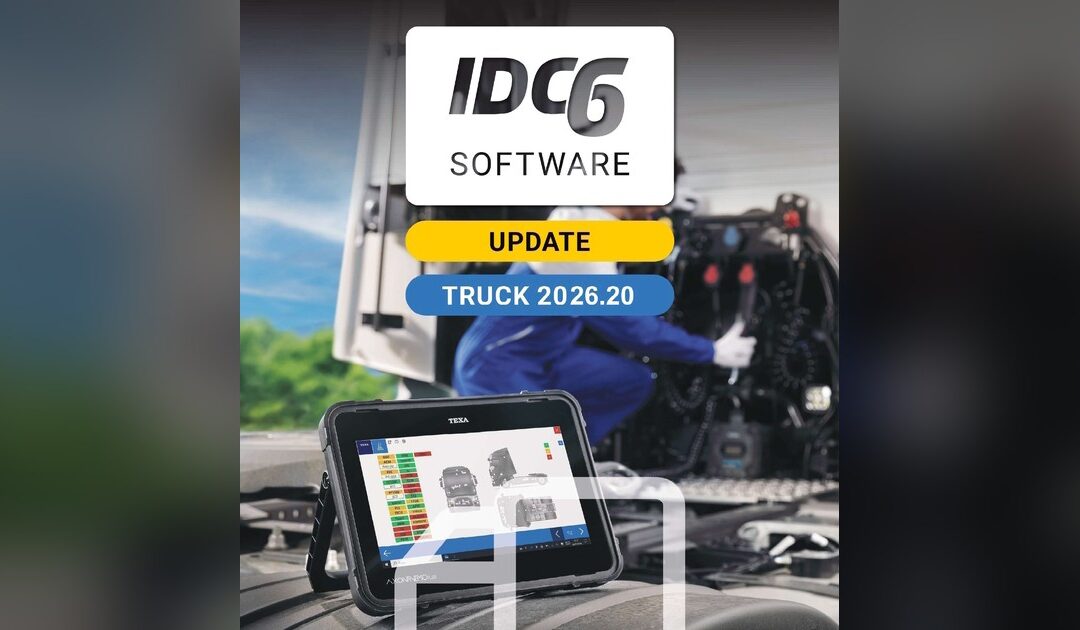
TEXA USA announced the IDC6 Truck 2026.20 software update on October 14, 2026. It updates 38 brands in the main truck diagnostic system and 9 brands in the North America heavy duty system, and adds 2 new dashboards, 19 new wiring diagrams and 4 new technical sheets. The work covers industrial vehicles, light commercial vehicles and buses. Here is what 2026.20 adds for heavy duty shops and fleets.
The highlights in Truck 2026.20
TEXA called out three items in the 2026.20 release notes, and all three are North American heavy duty systems.
Cummins: EPA 07 to GHG diesel injection
TEXA updated the Cummins EPA 07 to GHG diesel injection system. Cummins engines are common in North American trucks, so coverage across those emissions generations is useful day to day.
Kenworth and Peterbilt: PACCAR EAS 4, GHG 16 to GHG 21
TEXA updated the PACCAR EAS 4 GHG 16 to GHG 21 diesel injection system for Kenworth and Peterbilt. Shops and fleets running late-model Kenworth and Peterbilt trucks with PACCAR power should check this one.
Freightliner: Detroit TCM, PowerShift 5
TEXA updated the Detroit Transmission Control Module (TCM) PowerShift 5 system for Freightliner. Transmission work needs real system access, so this is a practical addition for anyone maintaining Freightliner trucks.
North America heavy duty: 9 brands updated
The Heavy Duty Diagnostic System (North America) update covers Cummins Engine, Ford, Freightliner, International, Kenworth, Mack, Peterbilt, Thomas Built and Western Star.
Main truck system: 38 brands updated
The main Truck Diagnostic System update covers these makes, as listed in the release notes:
North American trucks and buses: Freightliner, International, Kenworth, Mack, Peterbilt, Thomas Built and Western Star
Engines and systems: Cummins Engine, FPT Engine, Knorr-Bremse and WABCO
European and Asian trucks and buses: DAF, DAF (LATAM), Foton, Iveco, Iveco (LATAM), Iveco Bus, MAN, Mercedes-Benz, Mercedes-Benz (LATAM / Asia Pacific), Mitsubishi Fuso, Renault Trucks, Renault Trucks (LATAM), Scania, Scania (LATAM), UD Trucks (Nissan Diesel), Volkswagen Trucks, Volvo Bus, Volvo Trucks and Volvo Trucks (LATAM)
Light commercial vehicles: Citroen, Fiat Professional, Ford, Nissan, Opel, Peugeot, Renault and Volkswagen
TEXA counts regional versions such as DAF (LATAM) as their own entries, which is how the list reaches 38.
Dashboards, wiring diagrams and technical sheets
The 2 new dashboards cover live data, adjustments, settings and system scanning. The bigger part of this release is repair information: 19 new wiring diagrams and 4 new technical sheets, so your techs spend less time looking for information and more time on the repair. For full model detail, TEXA points customers to its diagnostic coverage pages at texausa.com/coverage.
How to get the update
TEXA makes its IDC6 updates available to customers with a valid TEXPACK subscription. If your TEXPACK is active, the update is already available to you. If your subscription has lapsed, read why renewing your TEXA subscription matters, then give us a call. New to IDC6? Our IDC5 vs. IDC6 explainer covers what changed in the software platform.
Support from Defy Diagnostics
Active TEXA users get free remote support from Dave, 9 to 5 ET, plus unlimited remote training. We help with setup and activation, so you can get the new coverage working without guesswork.
If you are adding TEXA to your shop or fleet, browse our TEXA diesel and heavy duty diagnostic kits. Tell us which trucks you see most, and we will quote a kit built around them.
Diesel and automotive programs are working hard to produce techs who are ready for the shop floor. One of the simplest ways to close the gap between school and shop is to train students on the same diagnostic platform working shops and fleets use every day.
Shops and schools are looking for each other
ASE is hosting a webinar on Thursday, October 22, 2026 at 2 PM ET on supporting the industry and reaching future technicians through ASE Connects. According to ASE, the session will show how shops and dealerships can find schools in their area, see what instructors need, and get involved. It also covers new Student Profiles that help employers connect directly with students looking for industry experience.
ASE notes that instructors are actively looking for industry support. If you run a program, that is a good reason to make sure your lab looks like the shops you want to place students in.
ASE says registrants who cannot attend live will receive a copy of the recording, and that non-members can sign up for a free ASE Connects trial through December 31, 2026.
Why the tool matters
When a graduate walks into a shop already comfortable with the scan tool on the cart, the shop spends less time training basics and more time on real repairs. That is a strong selling point for a program and for its graduates.
TEXA runs one diagnostic platform across cars, light trucks, heavy trucks and off-highway equipment. Students in an automotive program and a diesel program can learn on the same software, instead of a different tool for every bay.
TEXA school packages
We offer TEXA packages for school programs in three areas:
Software updates are a real cost for any shop, and a school budget feels it even more. TEXA provides TEXPACK updates free to schools, so after the initial purchase, your program never pays for updates. Students keep training on current coverage year after year.
What students should practice
Beyond reading codes, programs can use TEXA to teach live data, component tests, wiring diagrams and service functions. It is also a good place to teach habits shops care about, like keeping voltage stable during programming.
Support from Defy Diagnostics
Active TEXA users get free remote support from Dave, 9 to 5 ET, plus unlimited remote training. We help with setup and activation, and we are glad to demo TEXA for your instructors.
Almost every windshield, bumper, and alignment job now touches a camera or radar. That makes ADAS calibration cost one of the biggest questions an independent shop faces. Not the cost of the job itself. The cost of the equipment to do it in-house.
A recent CNBC report put real numbers on that problem. Here is what it found, and how independent shops, collision and glass shops, and fleets running light-duty vehicles can bring calibration in-house without a $90,000 setup.
What CNBC found
On October 3, CNBC visited Emil’s All-Tire, an independent shop in Brooklyn, New York. Owner Ralph Czeisler described a cost problem many shop owners will recognize.
Every year, I update all my computers. I have multiple computers for domestic, Asian, European cars, and it’s very costly.
Ralph Czeisler, Emil’s All-Tire, via CNBC
The calibration numbers were just as steep:
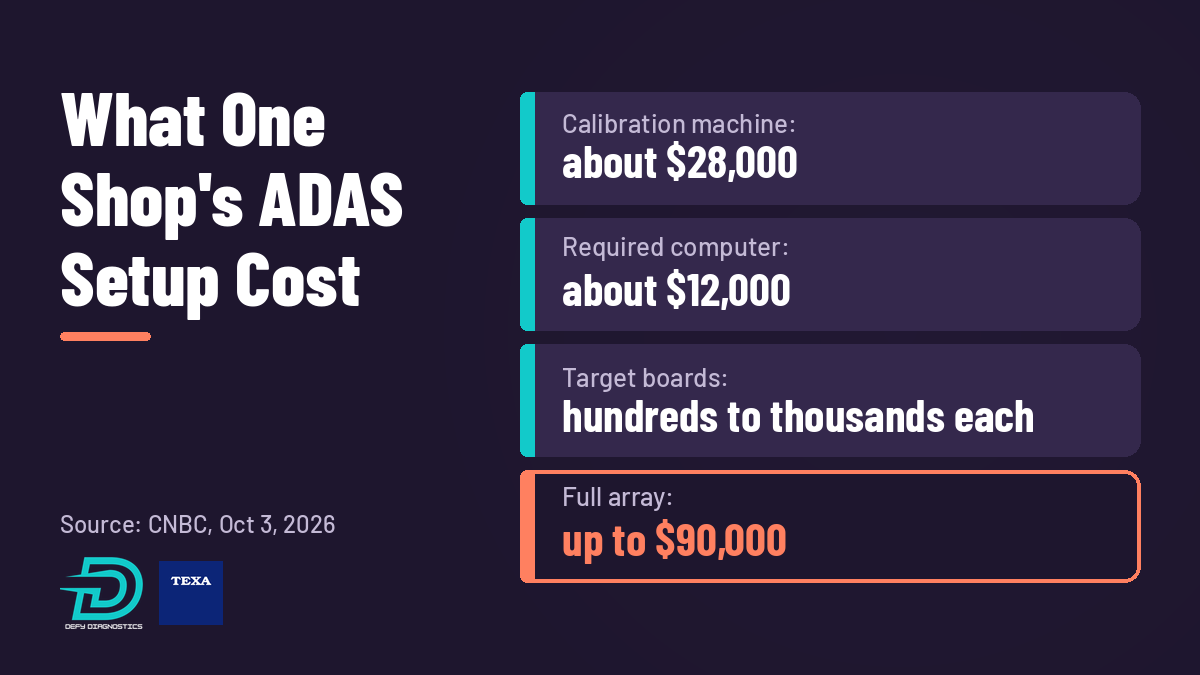
One calibration machine cost about $28,000, according to an invoice the shop provided to CNBC.
The computer that comes with it was another $12,000.
A total array can cost up to $90,000.
Target boards for specific cameras can run hundreds or even thousands of dollars each for more premium brands, according to Ariella Czeisler, Ralph’s daughter, who also works in the shop.
Customers feel it too. CNBC reported that repair costs rose about 60% from January 2019 to August 2026, according to the St. Louis Federal Reserve, almost twice the 32% increase in overall inflation. AAA’s Greg Brannon summed it up for CNBC: “It has become increasingly financially difficult for independent shops to be able to service all makes and models.”
Why calibration can’t be skipped
Cameras, radars, and sensors need recalibration when they are replaced, and often after related work like windshield replacement, bumper repair, suspension work, wheel alignment, or new tires. That work is already coming through your bays.
It is also a big piece of the bill. A 2023 AAA study found that ADAS can add up to 37.6% to the total repair cost after a crash, largely because of the cost of replacing and calibrating the sensors.
Then there is liability. Ariella Czeisler put it plainly:
God forbid we don’t calibrate the windshield and that camera is malfunctioning. The car can brake unexpectedly and cause an incident from the rear. We don’t want to be liable for that.
The $90,000 figure is not one tool. It is a stack of costs that keeps growing:
The frame and computer. The big upfront purchase.
Physical target boards. Bought brand by brand, stored somewhere in the shop, and easy to bend, scratch, or lose. When new models arrive, you may need new boards.
Software and subscriptions. CNBC noted shops also pay for software and data access, sometimes for a few hours, sometimes for a year.
Floor space. Calibration needs a level floor, good lighting, and clear room around the vehicle. Here is our guide to ADAS calibration facility requirements.
That stack is why many small shops send calibrations out.
Sublet vs. in-house: how to run the numbers
Subletting feels cheaper because there is no equipment to buy. But it has costs of its own:
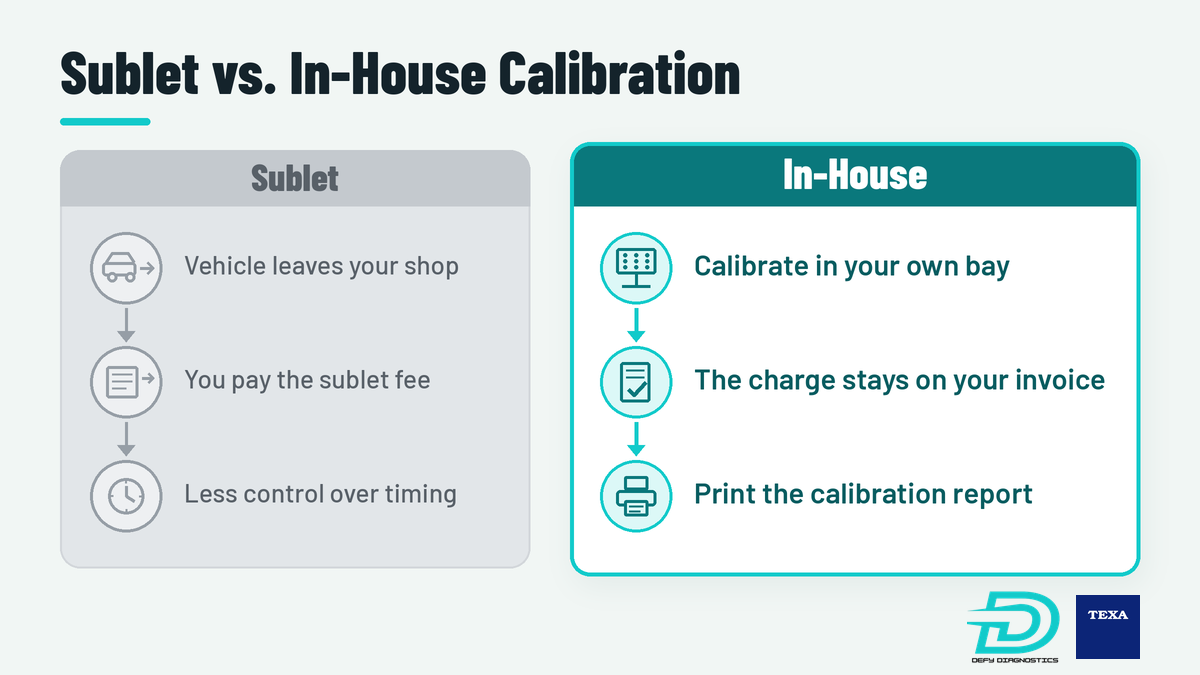
The sublet fee. You pay a dealer or mobile calibrator, and that margin leaves your shop.
Cycle time. The vehicle waits for a mobile tech or leaves your lot, and your bay or your customer waits with it.
Control. If the calibration is not right, the comeback still lands on your shop.
Bringing it in-house flips that. You keep the calibration line on the invoice, control the schedule, and hand the customer a calibration report.
Example math (fill in your own numbers):
A = calibrations you sublet or turn away each month
B = what each one costs you in sublet fees or lost margin
C = your yearly equipment payment plus software renewal
D = your yearly technician time for calibrations
If A × B × 12 is more than C + D, in-house calibration covers its cost on work you already have, before you count faster cycle times or new calibration work you can now quote.
What to look for in a calibration system
Coverage. Check the makes and models you actually see, not just the brochure list.
Targets. Ask how many physical boards you will need to buy, store, and replace.
Updates. Find out how new vehicles and targets get added, and what that costs each year.
Training. Ask who trains your techs and where. Equipment nobody is confident on sits idle.
One platform. Calibration should run through the same software your techs already use to diagnose.
How the TEXA RCCS3 changes the math
The TEXA RCCS3 was built around the biggest cost in that stack: targets. Here is how it changes each line.
Targets on a 75-inch monitor
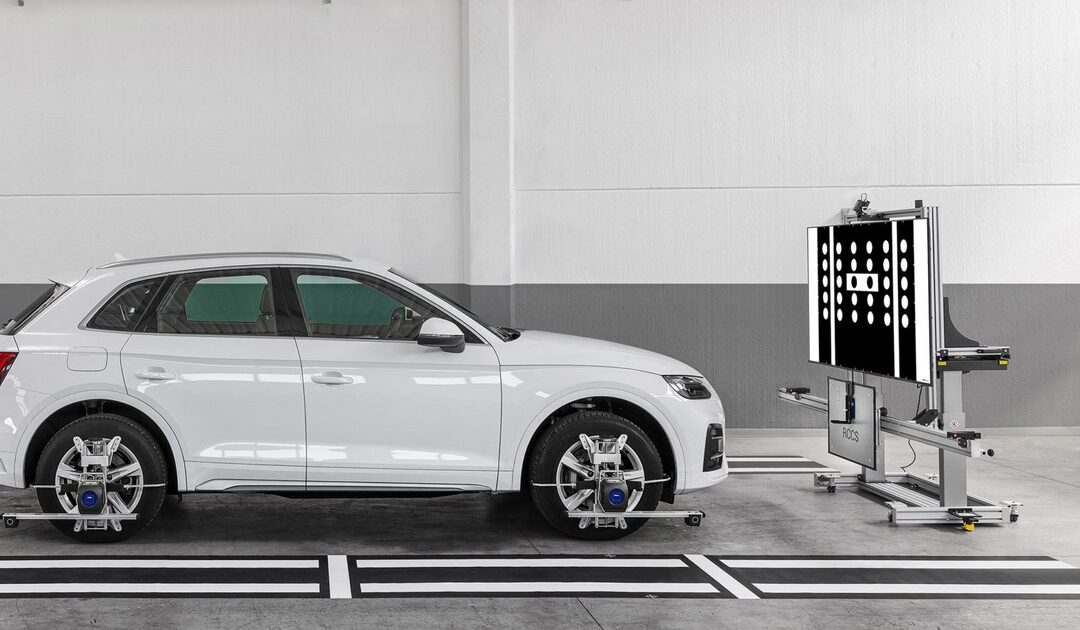
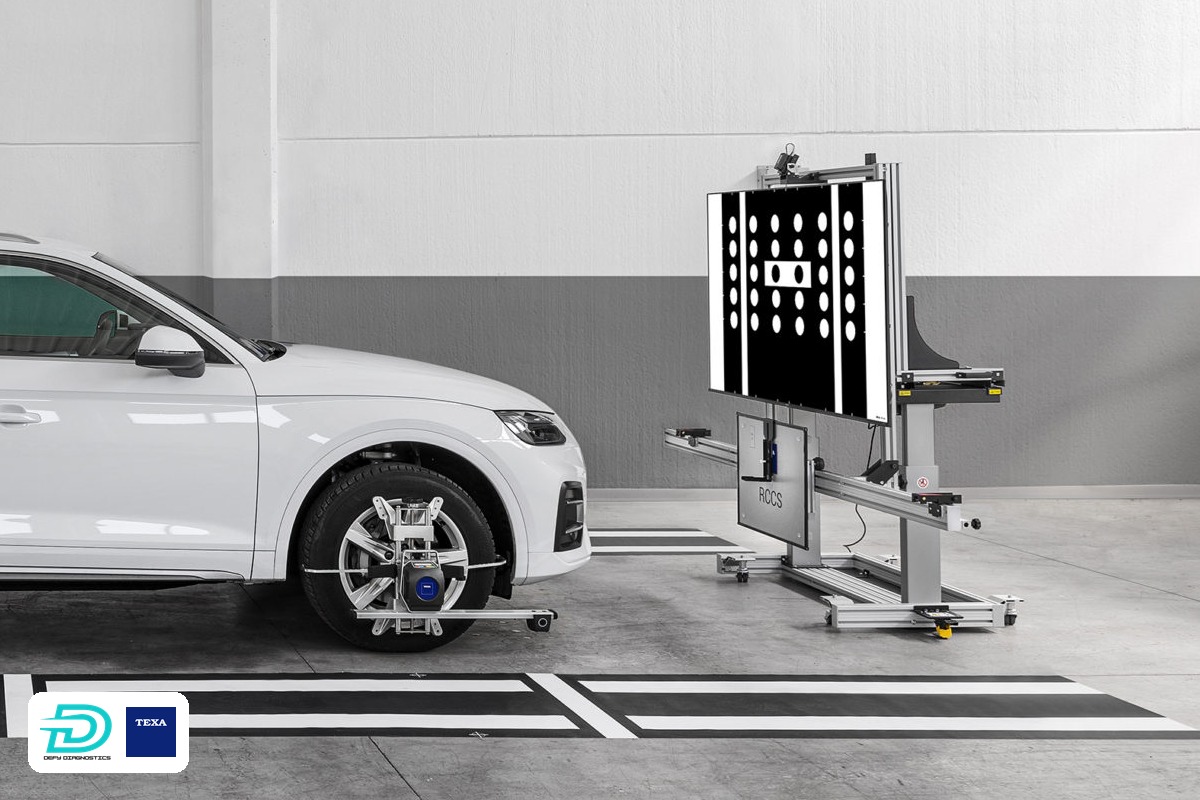
The RCCS3 displays calibration targets on a 75-inch 4K monitor, at the 1:1 proportions each manufacturer specifies, according to TEXA. That means no racks of paper targets to store or damage. When new models come out, new targets come with the software updates instead of a new purchase. A small number of models, including some Toyotas, still use a physical target because the target is larger than the monitor. Some rear and 360 camera systems also use dedicated mats and targets, which the advanced kit includes.
Pricing you can plan around
Get started for $20,178 plus shipping and tax with an RCCS3 kit and LCN. Every ADAS package requires TEXA software and hardware, like the LCN, and that is included in the price.
Fully loaded for under $50,000. The advanced RCCS3 kit with ACS, 360, voice diagnostic packages, and in-shop training is still under $50,000.
The advanced RCCS3 package (RCCS3EADVTV) includes the front camera kit plus ACS (All Around Camera System), a blind spot cone support kit, a Cadillac camera calibration mat, VW rear camera calibration target, VW 360 camera calibration mats, VW/Mazda Doppler simulator, Mazda radar calibration kit, Mercedes rear camera calibration targets, Nissan rear camera calibration mat, Honda/Acura rear view mirror calibration target, LCV extension, Honda/Acura front camera calibration targets, and Subaru wide-angle camera calibration target. The scan tool is not included.
Renewals with no ADAS surcharge
TEXPACK renewals are $1,295 per year for cars and $995 per year for trucks. Those are the regular diagnostic renewals. ADAS adds no extra cost. More on TEXPACK updates here.
Dynamic calibrations are already included
Every Defy Diagnostics diagnostic package includes ADAS calibration in the IDC6 software at no added cost. That means your shop can perform dynamic calibrations today. Static calibrations require the frame, and that is where the RCCS3 comes in.
Training in your shop
Through December 31, 2026, every RCCS3 includes free in-shop setup and hands-on training from a factory TEXA rep. Details are in our post on free ADAS training with every RCCS3.
Every shop’s setup is different. But compared with the up-to-$90,000 array CNBC described, a fully loaded RCCS3 kit under $50,000 changes the conversation.
Truck or mobile work? Look at CCS2
If you calibrate heavy trucks or need a setup that travels, the TEXA CCS2 is the better fit. It is TEXA’s transportable option for cars, light commercial vehicles, and heavy-duty vehicles, and it uses physical targets.
Quick answers
How much does ADAS calibration equipment cost?
CNBC reported one Brooklyn shop’s calibration machine cost about $28,000, plus about $12,000 for its computer, and a full array can cost up to $90,000. At Defy Diagnostics, you can get started with an RCCS3 kit and LCN for $20,178 plus shipping and tax.
Can my shop do dynamic ADAS calibrations without a calibration frame?
Yes. Every Defy Diagnostics diagnostic package includes ADAS calibration in the IDC6 software at no added cost, so you can perform dynamic calibrations. Static calibrations require a calibration frame like the RCCS3.
Does the TEXA RCCS3 use paper calibration targets?
Mostly no. The RCCS3 displays its targets on a 75-inch monitor, and new targets arrive with software updates. A small number of models, including some Toyotas, still use a physical target because the target is larger than the monitor, and some rear and 360 camera systems use the mats and targets in the advanced kit.
Does ADAS calibration add to my annual software renewal?
No. TEXPACK renewals are $1,295 per year for cars and $995 per year for trucks. Those are the regular diagnostic renewals, and ADAS calibration adds no extra cost.
Bring calibration in-house
The calibration work is already in your bays. The question is whether it stays there. Check our current specials, then let’s build the right setup for your shop.