Telematics platforms are getting faster at telling you something is wrong. They are not getting any better at telling you why. That part still happens in the bay, with a scan tool, a wiring diagram and a technician who knows how to confirm a fault before parts get ordered.
This guide is for fleet maintenance managers and municipal fleet supervisors who are seeing more automated alerts land in their inbox. It covers what the new telematics tools actually do, where their information stops, and a practical process for turning a fault alert into a confirmed repair. The keyword here is telematics fault code diagnosis: using the alert as a starting point, then proving the cause with the truck connected.
Telematics alerts are turning into work orders
Two launches in October show where fleet software is headed. On October 19, Motive launched Agents at the American Trucking Associations Management Conference and Exhibition. According to FreightWaves, Agents act on safety and maintenance alerts under rules a fleet sets. When a fault code meets the fleet’s criteria, an Agent can automatically open a work order in Motive Maintenance and mark the vehicle out of service. Motive says each fault code comes with an AI-generated explanation, a severity level and recommended actions.
Motive staff product manager Emily Parsons described the problem the product targets: “A fault code fires, it sits in a dashboard, and by the time someone opens a ticket, a small issue oftentimes has already turned into a big one.” She also cited a Motive figure that 47% of fleets have had delayed maintenance lead to a breakdown or an out-of-service event.
Two days later, Samsara announced Predictive Insights. Its Battery Deterioration feature looks at cold-soak crank-voltage history to flag vehicles whose starting performance is weakening, and places them on a prioritized maintenance list so a shop foreman can generate a work order while the vehicle is still in the yard. Its derate detection uses engine signals to spot an active derate, open an incident and mark the asset critical.
Both tools shorten the time between a problem appearing in the data and someone acting on it. That is a real gain. It also means more alerts, and more work orders, will arrive at your shop already labeled with a likely cause.
What a telematics alert tells you, and what it does not
A telematics device reads what the truck’s control modules broadcast: active fault codes, some parameter data, location and run time. It can show which module set a code, how often it appears and what the truck was doing. That is useful evidence.
What it usually cannot do is test anything. A code means a module saw a value outside its expected range. The cause could be the component, its wiring, a connector, power or ground, the module itself, or a mechanical problem the sensor is correctly reporting. A low-voltage battery alert could be a failing battery, a parasitic draw, a charging fault or a truck that sat for a week. An AI-generated explanation is a reasonable guess based on patterns. It is not a diagnosis of this truck.
Fleet Maintenance’s October 22 report on remote triage makes the same point from the dealer and leasing side. Penske’s Chris Hough said remote data can point to a likely cause, such as a coolant level sensor, but “the technician still needs to diagnose whether the issue is a failed sensor, a damaged harness, or another related component.”
A five-step process from alert to confirmed repair
The goal is simple: use the alert to prepare, then confirm the cause before you spend money on parts or take a truck out of service longer than necessary.
1. Triage the alert before the truck arrives
Read the full alert, not just the headline. Note the code, the module that set it, the severity, how many times it has appeared, and whether other codes came in around the same time. Several codes at once often share a power supply, ground or network. Check recall and campaign status, and check the unit’s repair history for the same complaint. Decide whether the truck can finish its route, needs a roadside call, or should come straight in.
Federal rules frame that decision. Under 49 CFR 396.7, a motor vehicle may not be operated in a condition likely to cause an accident or breakdown. An automated out-of-service flag can help you follow that rule, but someone still has to decide when the truck is actually safe to return.
2. Connect a full diagnostic tool and scan every module
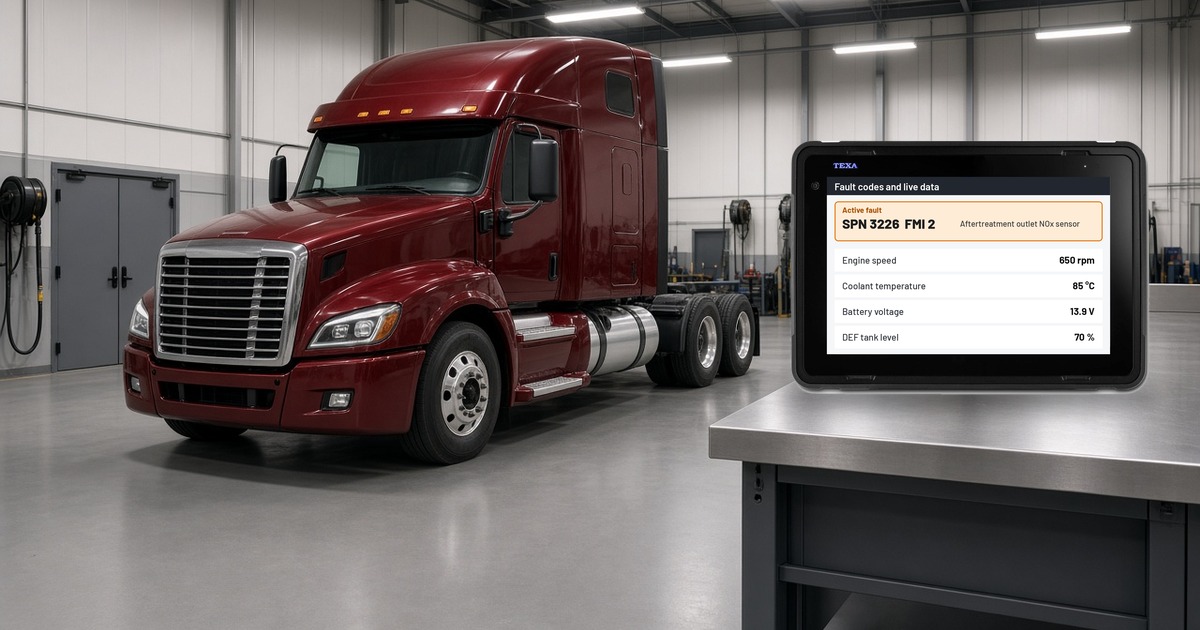
When the truck is in the bay, connect a dealer-level diagnostic tool and scan every module, not only the one named in the alert. Record all active and inactive codes. A telematics platform may only report the codes it is configured to watch, and the code that matters is sometimes in a different module.
3. Check live data against the complaint
Look at the parameters behind the code while the condition is present. If the alert was a derate, check aftertreatment temperatures, pressures, DEF quality and soot load readings. If it was a battery warning, check voltage at rest, during cranking and while charging. Compare readings to the specification in the service information, not to a guess about what looks normal.
4. Pinpoint test the circuit or component
Use wiring diagrams and technical sheets to test the specific circuit: supply voltage, ground, signal and connector condition. Run actuator tests where the software supports them. Every test should answer one question: is it the part, the wiring or something upstream? This is the step that keeps good parts on the shelf.
5. Repair, clear and verify
Make the repair, perform any required calibrations, relearns or service procedures, clear the codes and run the truck under the conditions that set the fault. Then confirm the code does not return and the telematics alert clears on the platform. Close the work order with the cause, not just the code, so the next alert on that unit starts with better history.
Where TEXA IDC6 Truck fits
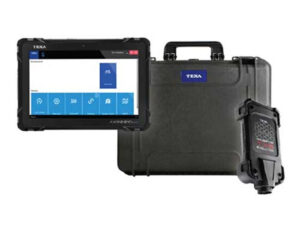
Telematics gets the alert to you. A shop-grade diagnostic tool is how you confirm it. TEXA IDC6 Truck software connects to the vehicle through the Navigator Multihub 2. It reads and clears codes across the modules it covers, shows live data and supports the tests and service procedures your techs need for steps 2 through 5. IDC6 also includes wiring diagrams and technical sheets, and TEXA adds coverage through truck updates twice a month. See the IDC6 Truck 2026.20 update for the latest additions, including Cummins, PACCAR and Detroit coverage.
For mixed fleets this matters. An OEM telematics or dealer program covers its own brand. A municipal fleet running several makes of trucks needs one tool that works across them. Our PACCAR Connect explainer covers the factory telematics on Kenworth and Peterbilt trucks, and our DTC codes guide explains how to read fault codes as evidence.
Every Defy TEXA diagnostic package includes a rugged carrying case and a 1-year parts and labor warranty. Kits drop ship from TEXA, and Defy helps with setup and activation. Active TEXA users also get free remote support and unlimited remote training on the tool. Read our scan tool support guide to see how support works.
Building an alert workflow your shop can trust
Fleets that get the most from automated alerts tend to do a few things well:
- Set thresholds deliberately. Decide which codes should open a work order automatically and which should only notify a supervisor. Bennett Family of Companies, an early Motive Agents user, told FreightWaves it started with alerts to its own staff before letting the system reach drivers.
- Give the shop the full alert. Pass along the code, module, count and timing, not just “check engine light.”
- Confirm before you order. Make bay confirmation a required step before major parts are ordered.
- Close the loop. Record the confirmed cause so recurring alerts on the same unit or model show a pattern.
- Train the people reading the data. As Love’s Truck Care Academy director Chuck Ralston told Fleet Maintenance, “AI does an amazing job of analyzing data points, but you still have to take time to develop your technicians.”
If your techs work on trucks that throw derate codes often, our post on the 5 MPH derate and our winter diesel fuel and DEF checklist cover common causes worth checking first.
Talk to a Diagnostic Expert
Want to know whether IDC6 Truck covers the makes and models in your fleet? Call 864-803-3744 or email Dave@DefyDiagnostics.com. Ready to price it out? Request Your Custom Kit Quote.
Sources: FreightWaves, October 22, 2026; Samsara, October 21, 2026; Fleet Maintenance, October 22, 2026.
Frequently asked questions
What is telematics fault code diagnosis?
It is the process of using a fault code reported by a telematics platform as a starting point, then confirming the actual cause with a diagnostic tool, live data and pinpoint tests before repairing the truck.
Can a telematics alert replace a diagnostic scan tool?
No. Telematics reports codes and some data remotely, but it cannot test circuits or components. A shop-grade diagnostic tool is still needed to confirm the cause and verify the repair.
What do Motive Agents do with fault codes?
According to FreightWaves, when a fault code meets a fleet’s criteria, a Motive Agent can open a work order in Motive Maintenance and mark the vehicle out of service. The fleet sets the rules.
What does Samsara Predictive Insights flag?
Samsara says Predictive Insights flags weakening batteries using cold-soak crank-voltage history and detects active derates from engine signals.
Which TEXA software is used for heavy trucks?
TEXA IDC6 Truck, which connects to the vehicle through the Navigator Multihub 2. TEXA releases truck updates twice a month.
What warranty comes with a TEXA kit from Defy Diagnostics?
TEXA hardware comes with a 1-year parts and labor warranty.