In the fast-moving world of automotive, diesel, and powersports diagnostics, keeping your shop equipped shouldn’t require hunting down deals across multiple sites. That’s why Defy Diagnostics is excited to introduce our brand-new Specials Page — a centralized hub dedicated to current promotions, limited-time discounts, flash sales, and exclusive offers.
Whether you’re a fleet manager, shop owner, mobile tech, or dealership service director, this page is designed to help you save on professional diagnostic tools, TEXA equipment, A/C service machines, ADAS calibration systems, GYS battery chargers, and more — all while keeping your operation running at peak efficiency.
Why We Built the Specials Page
Our customers have been asking for a simpler way to stay informed about:
Monthly promotions on TEXA IDC6 diagnostic software
Quarterly deals on Axone tablets and Multihub interfaces
Flash sales on A/C machines like the TEXA Konfort 760 & 780 Touch
Limited-time ADAS calibration package discounts
Exclusive promo codes for online purchases
Special savings on diagnostic kits for automotive, diesel, off-highway, marine & powersports
So, we built a dedicated page to bring all of those offers together in one place.
The Specials Page will allow you to quickly check what’s available today, what’s coming soon, and which offers are about to expire — without digging through emails or waiting for social media announcements.
What You’ll Find on the Specials Page
Depending on the time of year, you may find:
🔹 Flash Sales (24 hours to 2 weeks)
These ultra-limited deals may include:
Discounts on TEXA Axone Voice, Axone Nemo, and Axone Plus diagnostic tablets
Reduced pricing on TEXA Konfort A/C machines
Deals on Navigator TXTs, Multihub 2, or complete diagnostic bundles
Shop-exclusive codes for accessories and cable kits
🔹 Monthly & Quarterly Promotions
Recurring offers might include:
IDC6 renewal discounts
Bundled pricing on diagnostic kits
A/C season specials
End-of-quarter demo unit sales
Free shipping promotions
Bonus-value packages for fleets and municipal shops
Because many customers discover Defy Diagnostics while searching for discounts, we’ve ensured this blog includes strategic keywords to help you find exactly what you need:
Common search phrases customers use include:
TEXA diagnostic tool discounts
TEXA IDC6 software promotions
Best deals on TEXA Axone Voice
Konfort 760/780 Touch specials
Automotive diagnostic scanner sales
Heavy-duty diagnostic tool specials
ADAS calibration system discounts
GYS battery charger promo
Diesel diagnostics tool deals
Diagnostic tool flash sales
Shop equipment discount codes
These are exactly the types of specials we’ll be highlighting — so check the page often, especially during busy seasons.
Why Defy Diagnostics Offers These Specials
We know that diagnostic equipment is an investment. Whether you run a small shop or manage a large fleet, having access to reliable, professional-grade tools shouldn’t be out of reach.
Offering regular promotions allows us to:
✔ Support in-house diagnostic capabilities ✔ Help fleets reduce downtime ✔ Make high-end diagnostic tools more accessible ✔ Give shops the ability to expand coverage affordably ✔ Reward repeat customers and Defy Family members
We also believe in transparency — the Specials Page ensures every customer can see the exact offers available at any given moment.
Bookmark It — Specials Change Frequently
Some promotions may run for only 24 hours, others for a week, and some for a full quarter. Once a deal expires, it disappears from the page — and won’t return until the next promotional cycle.
If you’re planning to purchase a diagnostic tool, tablet, A/C machine, or upgrade your shop equipment soon, checking our Specials Page could save you hundreds (or thousands) of dollars.
Stay Updated — Don’t Miss a Deal
There are three easy ways to make sure you never miss a promotion:
Sign up for our newsletter We send out Flash Sale alerts, new product promos, and exclusive codes.
Follow us on social media We occasionally drop 1–2 day promo codes just for our followers.
Final Thoughts: Your One-Stop Shop for Diagnostic Equipment Deals
The launch of our Specials Page is part of our ongoing commitment to serve the automotive, diesel, off-highway, marine, and powersports industries with top-tier diagnostic solutions at competitive prices. Whether you’re looking for a TEXA diagnostic scanner, Konfort A/C machine, IDC6 software renewal, or ADAS calibration equipment, this new page will help you get the best value possible.
Visit the page today and see what’s live — your next upgrade or shop investment might be on sale right now.
When it comes to R-1234yf air-conditioning service machines, both TEXA Konfort 760 Touch andRobinair AC1234-9 Connected stand out as premium contenders. But for technicians who work on mixed fleets, EV/hybrid systems, and diagnostic-driven workflows, the question isn’t just about recovery efficiency, it’s about precision, safety, automation, and long-term reliability.
And that’s where the TEXA Konfort 760 proves its value beyond the spec sheet.
Engineering Built for Professionals—Not Just Throughput
Both machines meet SAE J2843 certification for R-1234yf systems. But TEXA goes a step further, adding proprietary safety systems designed to protect technicians and sensitive vehicle components:
FPS (Fan Protection System) ensures maximum operator safety and prevents refrigerant leaks during recovery.
Air Tight Bottle system and Automatic Oil Bottle Recognition (patent pending) prevent cross-contamination between PAG and POE oils—critical for hybrid and EV compressors.
Hybrid/EV compatibility is engineered into every 760 Touch, safeguarding against catastrophic compressor failure that can cost thousands.
Robinair’s AC1234-9 meets minimum safety standards, but lacks these built-in safeguards. For shops working on today’s hybrid and electric fleets, that’s a liability TEXA eliminates entirely.
Automation That Eliminates Guesswork
The Konfort 760 Touch doesn’t just automate, it thinks for the technician.
Automatic service-hose length compensation ensures exact charge accuracy no matter where the machine is positioned.
Automatic management of non-condensable gases keeps refrigerant purity within spec and protects your investment.
Integrated U.S. Vehicle Database comes standard, no paid add-ons or downloads required.
Robinair’s system automates internal refill and oil drain functions but requires a separate purchase for its refrigerant-capacity database. That means downtime and extra cost before your first service is even completed.
Capacity That Keeps You Moving
When you’re servicing high volumes or large-capacity systems, tank size directly affects uptime.
TEXA Konfort 760 Touch: 20 kg (≈ 44 lb) standard internal tank.
Robinair AC1234-9: 13.6 kg (30 lb) DOT tank.
Fewer refills mean fewer interruptions, better technician efficiency, and lower labor costs, especially in municipal, fleet, or heavy-duty operations.
Connectivity and Support Designed for Real Shops
The Konfort 760 integrates directly into the myTEXA portal and Konfort APP, providing:
Secure Wi-Fi and Bluetooth updates.
Remote iSUPPORT technical assistance from TEXA USA.
USB backups for reports and data.
Robinair uses an open Android system, which is flexible but generic. TEXA’s closed ecosystem means your A/C machine, diagnostic tablet, and calibration tools all communicate in one seamless environment, ideal for shops already using TEXA Axone tablets, IDC6 software, or Konfort 780 Dual Gas machines.
Warranty and Total Cost of Ownership
Factor
TEXA Konfort 760 Touch
Robinair AC1234-9 Connected
Typical MSRP
$8,699 – $10,500 USD
≈ $7,300 USD
Warranty
2 Years Parts + 1 Year Labor
1 Year Standard
Database Cost
Included (U.S. Car Database)
Purchased Separately
Tank Capacity
20 – 30 kg Options
13.6 kg Standard
Hybrid Safety Features
Patented Oil Control System
None Specified
While the Robinair saves money upfront, the TEXA pays for itself in reduced contamination risk, longer warranty coverage, integrated data, and less downtime. For specialized shops, EV dealers, or government fleets, the TEXA’s advanced systems act as a built-in insurance policy against human error.
The Real-World Takeaway
If your shop’s focus is volume and low acquisition cost, Robinair’s AC1234-9 might suffice. But if you demand precision, automation, and peace of mind, the TEXA Konfort 760 Touch stands alone.
It’s the professional’s choice for hybrid and EV compliance, reduced liability, and integrated workflow, backed by TEXA’s global engineering excellence and Defy Diagnostics’ U.S.-based support.
Talk to a Pro
Ready to upgrade your A/C service capability? Let’s build the right solution for your shop or fleet.
Is the TEXA Konfort 760 compatible with hybrid and electric vehicles?
Yes. The Konfort 760 Touch includes TEXA’s patented Air Tight Bottle and Automatic Oil Bottle Recognition systems that prevent oil cross-contamination, essential for hybrid and EV compressors.
Does the TEXA Konfort 760 require an annual subscription?
No annual subscription is required for A/C functions. The built-in U.S. Vehicle Database is included. Software updates and remote support are provided through the myTEXA portal.
How accurate is the TEXA Konfort 760?
Charging accuracy is ± 15 g (≈ 0.5 oz), exceeding SAE J2843 standards. Automatic hose-length compensation ensures precision regardless of machine placement.
What is the difference between the TEXA Konfort 760 and 780 Touch?
Both offer premium automation; however, the 780 Touch adds dual-gas capability (R-134a + R-1234yf) and automatic gas selection, ideal for mixed-fleet environments.
Where is support handled for TEXA machines in the U.S.?
Support is managed through TEXA USA (Edison, NJ) and distributed by Defy Diagnostics, providing U.S.-based technical assistance, warranty service, and training resources.
What if your team could trigger a forced DPF regen from 500 miles away, and get the truck back on route before lunch?
Fleets and off-highway operations live and die by uptime. A truck stuck in derate, a loader throwing intermittent DTCs, or a combine with a clogged DPF during harvest can turn profitable days into expensive chaos. Rolling a technician for every warning light, or waiting until equipment returns to base, burns hours, fuel, and payroll.
TEXA eTRUCK changes that equation. Installed once, it becomes a persistent, secure link between your equipment and your shop, so you can read diagnostic trouble codes, monitor live data, and trigger remote actions like forced DPF regenerations without waiting for the vehicle to return. Pair it with TEXA IDC6 software and you’ll unlock a modern, scalable remote maintenance workflow that works for over-the-road tractors, vocational trucks, and off-highway equipment in construction and agriculture.
In this guide, you’ll learn what eTRUCK is and how it works, where it delivers immediate ROI, how to deploy it (including pricing/subscription specifics), and proven strategies to scale from a pilot to 100+ connected assets with confidence. We’ll also map real-world applications across Freightliner, Kenworth, Peterbilt, Volvo/Mack, International, PACCAR, CAT, John Deere, Case IH, and more.
What TEXA eTRUCK Is—and Why It Matters
Key insight with supporting data: eTRUCK is a compact module that plugs into a vehicle’s diagnostic port and establishes a continuous remote connection between the technician and the asset. It provides constant system monitoring, real-time data, and remote diagnosis capability via a dedicated app and management portal, reducing downtime by enabling proactive maintenance and remote interventions.
Real-world example or case study: Picture a Freightliner Cascadia (DD13/DD15) in light derate mid-route. Instead of towing or waiting to return to the terminal, your shop remotely reviews DTCs and soot load, confirms conditions are safe, and initiates a forced DPF regen, getting the driver rolling again and saving a service call.
Practical application: eTRUCK fits line-haul tractors (e.g., Kenworth T680 with PACCAR MX-13, Peterbilt 579, Volvo VNL D13, International LT A26), vocational assets (e.g., Mack Granite MP7/MP8, Western Star 5700XE), and off-highway equipment like CAT 336 excavators, John Deere 8R tractors, Case IH Magnum, Komatsu PC360, and Bobcat T770, making it ideal for mixed fleets that need one remote diagnostics strategy for trucks and heavy equipment.
How It Works—From Port to Portal to IDC6
Detailed explanation with analogies: Think of eTRUCK as a secure “always-on stethoscope.” Once installed in the diagnostic port, it listens for issues, streams live parameters, and enables two-way interactions. Your team sees the same vital signs you’d get with a cable and tablet in the bay, only you’re doing it from your office, dispatch center, or even on the road.
Step-by-step process or framework:
Install eTRUCK into the vehicle/equipment diagnostic port.
Enroll the asset in the management portal and mobile/desktop app (Android/iOS supported).
Pair with TEXA IDC6 software to access guided diagnostics, bi-directional controls, and OEM-level functions.
Monitor & act remotely: read DTCs, view live data, schedule maintenance, and perform remote diagnosis—or launch a remote DPF regeneration when operating conditions allow.
Common mistakes to avoid:
Treating remote diagnostics as “alert only.” Build SOPs for triage → verification → action so your team actually resolves issues without waiting.
Forgetting driver/comms training. A quick script (“We’re starting a regen, here’s what you’ll see…”) prevents confusion.
Skipping maintenance scheduling. Use the portal’s planning tools to move from reactive fixes to predictive intervals.
Expert quote or research citation: eTRUCK’s purpose is “constant system monitoring” to reduce downtime, use that as a KPI lens during rollout.
Pricing, Subscription, and Scale—Made for Mixed Fleets
Numbered list of specific tactics:
Start with 10 assets at no added subscription cost. Use eTRUCK with TEXA IDC6 software; there’s no additional annual subscription for the first 10 units.
Scale to 100 modules affordably: After 10, you can add up to 100 eTRUCK modules at $240/year (per module). That’s subscription only, hardware priced separately.
Buy modules in bulk: eTRUCK dongles are available in 5-packs (under $340 each) or 25-packs (under $300 each, a smart path for phased deployments by region or division.
Focus on quick-win use cases: Remote forced DPF regens, nuisance-code triage, EGR and SCR monitoring, DOC/DPF differential pressure trends, and aftertreatment temp profile checks.
Cover off-highway first: Construction and agriculture see outsized ROI because equipment downtime hits project schedules and seasonal windows hard.
Implementation timeline:
Week 1: Select pilot assets (e.g., 2 Freightliner Cascadia, 1 Kenworth T680, 1 Volvo VNL, 1 CAT loader, 1 John Deere tractor). Define SOPs for remote regen and DTC triage.
Weeks 3–4: Review KPIs (regen count, avoided tows, derate incidents, time-to-clear), then expand to 25–50 assets using the 5- or 25-pack pricing.
Success metrics:
Tow avoidance rate (per month)
Time-to-triage DTCs (minutes vs. hours)
Unplanned downtime hours reduced per asset
Fuel & labor saved during avoided site visits
Tools or resources needed: TEXA IDC6 software; eTRUCK app + portal (Android/iOS); shop policy for remote regens and driver comms; baseline KPI sheet.
Advanced Use Cases—Beyond the Regen Button
Contrarian perspective or myth-busting: Remote maintenance isn’t just about “pressing regen.” The best fleets use eTRUCK for predictive planning, not just break-fix. Leverage constant monitoring to flag trends (e.g., rising DPF differential pressure under similar loads), then schedule work at optimal windows.
Future trends or predictions: As more assets become connected, expect rule-based automations: when soot load, temps, and duty cycle are all in range, the system can nudge a regen window proactively, reducing driver disruptions and shop firefighting.
Industry insider secrets:
Mixed-brand fleets win big. One remote workflow for Freightliner, International, Kenworth, Peterbilt, Volvo/Mack, Isuzu, Hino, Ford F-650/F-750, Ram 5500 simplifies training and centralizes data.
Off-highway leverage: Use eTRUCK to capture cycles on CAT, John Deere, Komatsu, JCB, Case CE, then tie alerts to operator shift changes or project milestones.
Driver coaching: The portal’s ability to monitor driving style and asset status enables safety coaching and fuel-efficiency gains, turning remote diagnostics into a culture of continuous improvement.
Connection to bigger picture: When you unify remote diagnosis, maintenance scheduling, and documented history across trucks and heavy iron, you don’t just save a tow, you build defendable uptime for audits, contracts, and warranty cases.
KEY TAKEAWAYS BOX
Fast ROI: Trigger remote DPF regens and resolve faults without rolling a truck, slashing downtime and tow bills.
One platform for mixed fleets: Works across trucks and off-highway, construction and agriculture included.
IDC6 required, pricing simple:No added subscription for the first 10 units; up to 100 at $240/year each (subscription only). Hardware sold in 5- or 25-packs.
Move from reactive to proactive: Use constant monitoring to schedule maintenance, coach drivers, and prevent failures.
CONCLUSION
Your operation doesn’t need another piecemeal gadget, it needs a connected strategy. With TEXA eTRUCK paired to IDC6, your shop gains line-of-sight (and control) over every asset, from a Peterbilt 579 on I-85 to a John Deere 8R pulling through harvest. You’ll read DTCs remotely, visualize live data, and launch forced DPF regens when conditions allow, cutting wasted hours, tow events, and the uncertainty that stalls routes and projects. If you’re running a mixed fleet and want a proven path from pilot to scale, eTRUCK’s pricing model makes it simple: test up to 10 units with no added subscription, then scale to 100 modules at $240/year each, with 5- and 25-pack hardware options to fit your rollout plan. The result is a defendable uptime strategy, documented, repeatable, and ready for the next road check or jobsite inspection. Ready to see it on your iron and your routes? Tap “Talk to a Pro” and we’ll tailor an eTRUCK plan for your specific mix of Freightliner, Kenworth, Peterbilt, Volvo/Mack, International, CAT, Deere, Komatsu, and more.
You know that smell. The one in a used work truck that smells like old coffee, cigarettes, and “something leaked in here six months ago.” Or the lingering funk in a loaner car after one messy customer. Detailers fight it. Fleet managers hate it. And passengers always notice it.
Here’s the truth: most “interior sanitation” is surface-level. Wipe the dash. Spray some fragrance. Steam the carpets. Hope nobody complains. But modern vehicles (especially high-use fleet units, rental cars, rideshare vehicles, school buses, and shuttle vans) are rolling biohazards: bacteria in the A/C ducts, allergens in the headliner, mold under the carpet padding, viruses on shared touch points.
In this post, we’re going to walk through how professional ozone treatment, specifically with the TEXA AIR2SAN ozone generator, actually eliminates odors at the molecular level, destroys bacteria and germs, and makes the vehicle cabin safe to sit in again. We’ll cover how it works, how long it takes, what industries are already doing this (from auto detailers to dental offices), and how to use it without hurting interior trim or electronics.
By the end, you’ll know exactly when to use ozone, how to sell ozone sanitation as a paid service, and how to prove to your customers, “Yes, this vehicle is clean.”
Why Vehicle Cabins Get So Nasty (and Why Air Freshener Is Basically Lying to You)
Let’s start with reality. Vehicle interiors are not just “dirty.” They’re biologically active.
HVAC systems circulate air through damp evaporators. Damp = mold growth.
Cloth seats absorb sweat, smoke, food grease, pet dander, coolant leaks, milk spills, and whatever was on someone’s work clothes after a 12-hour shift.
Shared vehicles (fleet trucks, loaners, rental cars, school buses, daycare vans) see dozens or even hundreds of different people in a short window. Every cough, sneeze, glove, boot, backpack, all of that transfers bacteria and odor-causing organic compounds.
When people complain about “bad smell,” they’re usually smelling volatile organic compounds (VOCs) produced by bacteria breaking down organic residue. Translation: it stinks because something is actively decomposing.
Most detailers try:
Enzyme sprays
Carpet shampoo / extractor
Foggers
Fragrance bombs
Those help with carpets and soft surfaces, but here’s the problem: they don’t penetrate the headliner foam, inside HVAC ducts, behind the dash, or under seat rails. That’s where the odor lives.
This is where controlled ozone treatment stands apart. Ozone (O₃) is a reactive gas. When introduced into the sealed cabin, it oxidizes the organic particles causing the smell. It doesn’t “cover” odors, it breaks the odor molecules apart so they literally stop existing.
We’ve seen loaner vehicles come back from customers smelling like a full-pack-a-day ashtray. You can scrub all day and it still smells like cigarettes. After a single, properly timed TEXA AIR2 SAN cycle, that same vehicle is not “better.” It’s neutral. Smoke gone. That’s what keeps CSI scores up and prevents “your car stinks” reviews.
For detailers: this is an upsell. “Interior ozone sanitation + HVAC odor neutralization” is an additional line item worth charging for. For fleet maintenance supervisors: this is risk management. You’re protecting drivers from exposure to mold, mildew, and bacteria in shared cabs.
How the TEXA AIR2 SAN Ozone Generator Actually Works (Without the Mystery Talk)
Let’s demystify ozone.
Ozone = O₃. It’s just oxygen (O₂) that’s been energized so it temporarily has three oxygen atoms instead of two. That extra atom is unstable, which makes ozone extremely reactive. When ozone contacts bacteria, viruses, mold spores, VOCs, and odor compounds, it oxidizes them, basically tears them apart at the molecular level.
Here’s why the TEXA AIR2 SAN matters and isn’t just “any ozone box from Amazon”:
Controlled generation It produces a high, repeatable ozone output designed for professional use. That means you’re not guessing. You’re not wasting time on weak consumer foggers that do nothing to a diesel work truck that’s been smoked in since 2018.
Intelligent cycle management AIR2 SAN doesn’t just blast ozone. It controls exposure time, saturation level, and re-conversion. The final stage is critical: after treatment, the machine actively converts excess ozone back into oxygen before you reopen the vehicle. That means safer hand-off to the customer or driver.
Whole-cabin coverage Because ozone is a gas, it reaches HVAC vents, fabric seams, seatbelt webbing, foam padding, carpets, headliners, and even the interior of the A/C evaporator case, places wipes, sprays, and steam literally cannot reach.
Sanitizing, not just deodorizing Ozone in high enough concentration is proven to kill bacteria, molds, and many pathogens on contact. Studies on ozone have shown antimicrobial activity against common strains of bacteria and fungi in enclosed spaces in automotive and healthcare disinfection contexts. (Industry testing has used ozone in ambulances, dental offices, and surgical prep areas for years to reduce microbial load in the air and on hard-to-wipe surfaces. ) Note: You still wipe high-touch surfaces. This doesn’t replace physical cleaning. It finishes the job.
Step-by-step process for a typical work truck:
Remove trash and loose debris. You’re not trying to sanitize a french fry.
Close windows, A/C set to recirculate so the ozone flows through the HVAC loop.
Place the TEXA AIR2 SAN unit inside the cab (center console or floorboard).
Run the programmed cycle. Typical cycle times are measured in minutes, not hours.
Let the AIR2 SAN re-convert excess ozone before re-entry.
Vent briefly and return the truck to service.
Common mistakes to avoid
Running a generic ozone machine with uncontrolled exposure: too much ozone for too long can dry out or discolor certain interior materials.
Skipping pre-clean: ozone neutralizes odor molecules, it does not vacuum your carpets for you.
Letting a driver re-enter immediately: ozone is powerful. You need the controlled neutralization step that AIR2 SAN was engineered to provide.
air2San cycle
7 Ways Shops and Fleets Are Monetizing (or Justifying) Ozone Sanitizing Right Now
Let’s talk money, retention, and liability.
Used-car reconditioning Before you put that trade-in on the lot, run AIR2 SAN. “Smoke-free, sanitizing treatment performed” is now a selling feature. That’s marketing language you can put on the buyer’s sheet.
Fleet turnover Anytime a municipal or utility truck changes drivers, document ozone sanitation. You’re not just cleaning the truck. You’re telling your next operator, “We care about the air you’re breathing.”
Loaner and rental vehicles If you hand someone a service loaner that smells like sweat and coffee, that’s a negative brand impression before you even speak. Ozone treatment fixes that in under an hour. That’s customer experience ROI.
Ride-share and shuttle Airport shuttle vans, hotel courtesy vans, medical transport, school activity buses, all high passenger turnover, high bio-load. Ozone helps control recurring odors in fabric seats without tearing the seats out every quarter.
Detail shop premium package Position ozone as “Interior Sanitizing & Odor Neutralization.” This sounds more credible than “smell removal.” Customers pay more for “sanitized.”
Allergy reduction in HVAC We’ve seen customers with chronic sinus issues ask for “can you get rid of that musty A/C smell?” That musty smell is microbial growth around the evaporator. Ozone is one of the only practical tools that gets into that housing without tearing the dash apart.
Liability shield for public sector Schools, daycare vehicles, municipal fleet, sanitation department pool vehicles, even fire department pickups: being able to log “Cabin sanitized with ozone” creates a record of preventive hygiene.
Day 2: Train techs. Takes maybe 20 minutes to walk through safe cycle setup, signage (“Do Not Enter: Ozone Treatment in Progress”), and post-cycle ventilation.
Day 3: Start charging for it.
Success metrics
Fewer odor complaints.
Better vehicle handoff scores / CSI scores.
Faster turnaround on “gross” vehicles.
Higher resale value on outgoing fleet assets because they don’t smell like mildew.
Tools/resources you need
TEXA AIR2 SAN ozone generator.
Small door hanger / tag for safety during cycle.
Basic log sheet or digital service note: date, unit number, tech initials, cycle duration.
Beyond Automotive — Where Ozone Treatment Makes Immediate Sense
Here’s where a lot of people miss the bigger play: AIR2 SAN isn’t only for automotive interiors. It’s portable. That means you can sanitize air and surfaces in other environments where scent, bacteria, and customer perception matter.
Industries already using ozone treatment as part of their hygiene protocol include:
Dentist offices and medical waiting rooms Dental and medical environments need to minimize airborne bacteria in small enclosed rooms where multiple patients cycle through all day. Ozone has historically been used in clinical sanitation workflows to reduce microbial presence in air and on exposed surfaces between patients, as part of a layered infection-control strategy. Use case: end-of-day high-output ozone cycle in an exam room.
Daycares and schools Any room full of kids is an odor engine. Soft surfaces, nap mats, carpets, plush toys — they all trap bio load. After-hours ozone treatment can help neutralize odors from diapers, vomit accidents, and general kid chaos, while reducing bacterial load on fabrics and in the air before the next morning. (You obviously never run ozone with people in the room. We’ll say that again in a second.)
Office buildings, conference rooms, and shared break areas Stale air smell in a sales bullpen or dispatch office? Food funk in the break room microwave corner? Ozone can refresh these spaces overnight without painting walls or replacing carpet.
Fleet locker rooms / tool cribs / bunk rooms Utility companies, waste management, DOT maintenance garages — anywhere gear, boots, and uniforms pile up will smell like sweat, fuel, and coolant. Ozone shock treatments reset the odor profile without bleaching everything.
Public safety vehicles Police cars, fire command SUVs, EMS support vehicles — these cabs see fluids, smoke, illness, and high stress. Post-call ozone cycles are fast and can be documented.
Here’s the non-negotiable safety piece: Ozone treatment is done in an unoccupied, sealed space. People and pets are not in the room or vehicle during active treatment. After the TEXA AIR2 SAN finishes and re-converts ozone back to breathable oxygen, spaces can be reopened. That controlled end-stage is one reason tools like AIR2 SAN are preferred over improvised DIY ozone hacks.
Future trend to watch Customers are starting to expect proof of cleanliness, not just “we wiped it.” You’re already seeing this in hospitality (“This room was sanitized on [time/date]”) and in rideshare. The same expectation is landing in fleet, school transportation, and municipal assets.
KEY TAKEAWAYS BOX
Ozone treatment with the TEXA AIR2 SAN doesn’t mask odor, it destroys odor molecules and kills bacteria in hard-to-reach areas like HVAC ducts and headliners.
You can turn ozone sanitation into a billable service line (“Interior Sanitizing & Odor Neutralization”) for detailing, fleet turnover, rental/loaners, and shuttle vehicles.
The unit is portable, so it’s useful beyond automotive: dentist offices, doctor waiting rooms, daycare classrooms, school buses, office break rooms, even municipal shared vehicles.
Documenting “This vehicle was ozone sanitized on [date/time]” builds trust, supports health/safety claims, and protects your brand.
CONCLUSION
Clean seats don’t mean clean air.
If you run a detail shop, a dealership, a municipal fleet, a rental department, a school transportation department, or any operation that puts different people into the same enclosed cabin, you’re not just maintaining vehicles, you’re responsible for what people breathe.
That’s why ozone shock treatment with a professional tool like the TEXA AIR2 SAN ozone generator is becoming standard. It’s fast. It’s repeatable. It’s documentable. It wipes out cigarette odor, pet odor, food odor, mildew smell, and “something died in here” mystery funk without tearing the whole interior apart. And it gives you something powerful to hand a driver or customer: proof.
If you’re serious about interior reconditioning, about passenger health, and about protecting your brand reputation, this is not optional gear anymore. It’s baseline.
Question for you: would you sit in your own loaner car without hesitation? If the answer is “maybe not,” then you already know what your next equipment purchase should be.
“What happens if that radar up front is off by half a degree?”
If you manage Class 7 or Class 8 trucks, that question is no longer hypothetical. Advanced Driver Assistance Systems (ADAS), forward collision warning, lane departure warning, adaptive cruise, blind spot monitoring, pedestrian braking, are now standard or strongly encouraged in most new commercial vehicles, and fleets are rapidly adopting them to reduce crashes and insurance exposure.
Here’s the problem: These systems only work if they are calibrated correctly.
A bent bracket, a windshield replacement, a bumper impact in a yard at 3 mph, an alignment adjustment… any of that can nudge a camera or radar out of spec. When that happens, the truck may think there’s a threat that isn’t there, or worse, fail to react to the threat that is. That’s a safety issue, a liability issue, and now, in many cases, an insurance documentation issue.
In this article, we’re going to walk through:
Why ADAS is no longer “car tech”, it’s diesel tech.
The real risk of running uncalibrated ADAS on heavy trucks.
How a calibration system like the TEXA CCS2 paired with IDC6 software gives fleets control instead of depending on dealers.
A practical game plan you can start using immediately.
If you run trucks, run a shop, or sign off on repairs, this matters.
ADAS is now built into Class 7/8 trucks — and it’s changing fleet liability
Not long ago, “driver assistance” sounded like a luxury car feature. That’s over.
Today’s heavy-duty trucks are rolling with forward-facing radar for collision mitigation, cameras for lane-keeping, blind spot monitoring along the side of the cab/trailer, pedestrian automatic emergency braking, and adaptive cruise control that manages following distance in traffic. These systems are specifically designed to prevent or soften rear-end collisions, lane drift, pedestrian strikes, and rollover events, all high-cost events in commercial transport.
Here’s why that matters to you:
Fewer accidents = direct cost avoidance. A single rear-end collision with injury can run into six figures fast.
Insurers are watching. Many insurance carriers now expect proof that ADAS systems are functioning as designed, especially after repair. Some will require calibration documentation as part of a claim.
DOT and legal exposure is rising. If a truck was equipped with lane departure warning or automatic emergency braking and that system failed due to improper calibration… attorneys will ask why.
Another important angle: drivers are using this tech and, for the most part, they like it. A recent survey found that 64% of truck drivers and 86% of carrier executives view ADAS positively because it reduces fatigue, improves awareness, and gives them backup in high-risk traffic situations.
So this is bigger than compliance. It’s now part of safety culture.
Practical application If you run a fleet, you can no longer treat ADAS as “dealer tech.” You need, at minimum, a documented process for when calibration is required, who’s allowed to do it, and how that gets logged.
What ‘calibration’ actually means — and why being 0.5° off can cost you
Let’s make this simple.
Every ADAS function in a truck depends on sensors (camera, radar, lidar, ultrasonic) and control logic (software). Calibration is the process of teaching the truck exactly where those sensors are aiming in the real world.
If that aim is wrong:
Automatic Emergency Braking (AEB) may not trigger when a stopped vehicle is ahead.
Lane departure warning can “see” a lane line that isn’t there and start yelling at the driver for no reason.
Blind spot intervention can try to correct when nothing is actually in the blind spot, which can jerk the vehicle or spook the driver.
Heavy trucks live hard lives. Common calibration disruptors:
Windshield replacement (camera moved a few millimeters).
Front bumper/hood repair, tow hooks, grille guard install.
Front-end alignment or ride height change (leveling kits, new springs).
Collision (even “minor” parking-lot contact).
Frame work.
Here’s where fleets get burned: “The truck drives fine.” Yeah, until the tech who did the glass job never recalibrated the forward camera. Two weeks later, the driver says lane keep is “fighting me for no reason.” That’s not just annoying. That’s documented malfunction.
From a legal standpoint, uncalibrated ADAS after a repair is now being framed as “incomplete repair,” not “nice-to-have extra.” That means liability can shift toward the fleet or shop if something happens and the system is proven out-of-spec.
Step-by-step: how proper calibration is supposed to work
The truck is positioned on a level surface at a defined distance from calibration targets.
High-precision physical targets (radar reflectors, camera boards, etc.) are aligned to OEM spec.
A calibration tool communicates with the vehicle via diagnostic software.
The system learns “this is straight ahead, this is level, this is your distance.”
A report is generated and stored.
This is exactly what the TEXA CCS2 calibration system is built to do: position and align targets with repeatable accuracy, then pair that with IDC6 software to walk the tech through brand-specific procedures and finalize the calibration with documented proof. (More on that next.)
Common mistakes to avoid
“Eyeballing” placement of targets.
Trying to reuse light-duty targets/stands on a Class 8 truck (geometry is different).
Skipping post-repair calibration because “it was only a bumper.”
Not saving the calibration report.
Expert angle Insurance and safety experts are openly warning that improper ADAS calibration can lead to unexpected braking, false alarms, and increased crash risk, which directly exposes the repairer.
How fleets can bring ADAS calibration in-house with TEXA CCS2 + IDC6
Let’s talk solutions, not scare tactics.
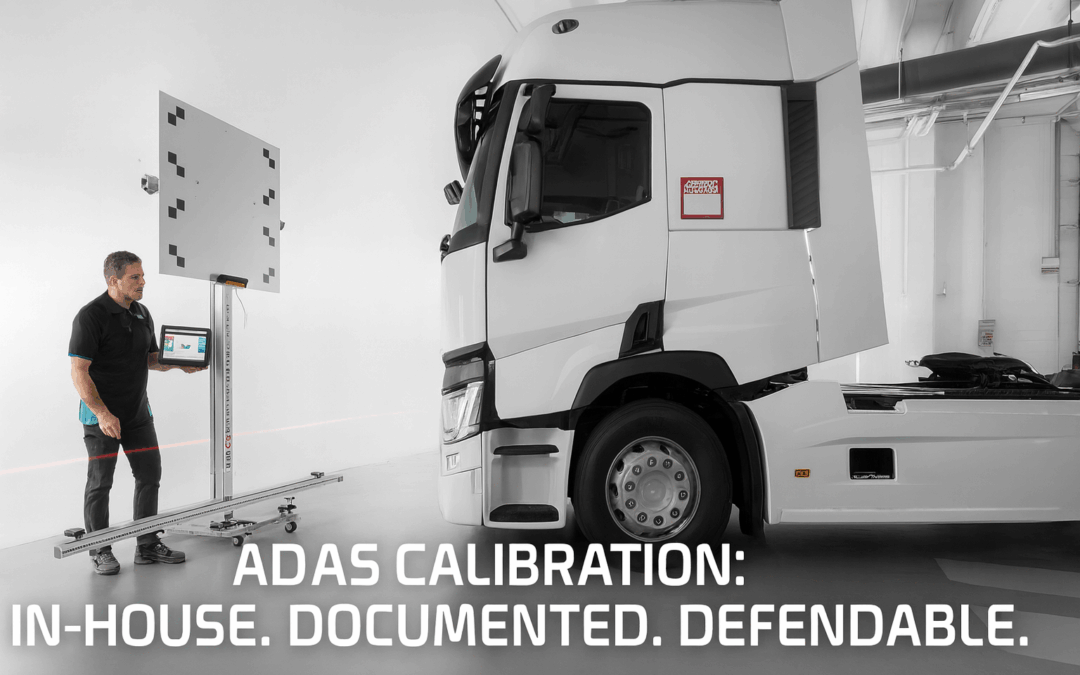
The TEXA CCS2 ADAS calibration system and TEXA IDC6 software give you a repeatable, OEM-guided process to calibrate cameras, radar, and other driver assistance sensors on commercial trucks in your own facility, without hauling the truck to the dealer every time someone sneezes on a bumper.
Here’s how that creates value for a fleet or shop:
Cost control
Dealer ADAS calibration is billable shop time, plus transport, plus downtime.
With CCS2, you set up the jig, follow IDC6 on-screen instructions, and generate a calibration certificate in-house. That’s recoverable labor you can bill internally (or even offer as a service line to other fleets).
Uptime / downtime reduction
Every day a truck is parked waiting on outside calibration is a day it’s not producing revenue.
In-house calibration means you can get a unit back in service same-shift after glass work or a minor repair instead of losing it for 2-3 days.
Documentation trail
IDC6 produces step-by-step guided procedures and stores the result. That creates a calibration record that can be attached to a repair order, insurance claim file, or internal safety log, which is increasingly being requested post-incident.
That record protects you. “Yes, this camera was calibrated to spec on this date at this mileage.”
Consistency across brands
Modern fleets are mixed fleets. You might have Freightliner, Kenworth, Volvo, Mack, International, Paccar, etc.
TEXA is known for multi-brand support. With CCS2 hardware and IDC6 software, you’re not buying a ‘single OEM’ tool. You’re investing in coverage across your fleet mix, including the growing amount of radar- and camera-based ADAS in Class 7 and Class 8 trucks.
Technician confidence
IDC6 doesn’t just say “calibrate camera.” It walks your tech through setup: ride height requirements, distance to target, alignment references, environmental constraints.
That turns “our glass guy doesn’t touch ADAS” into “our glass guy can close the loop and produce a calibration report.”
Timeline to implement
Week 1: Acquire CCS2 and train one lead tech on IDC6 workflow.
Week 2: Build a standard operating procedure (SOP): When calibration is required, who signs off, where reports are stored.
100% of ADAS-related repairs have a calibration report attached to the RO.
Fewer driver complaints about “lane keep pulling me” or false collision warnings.
The future is more automation, not less — and fleets that ignore calibration will get squeezed
Here’s the uncomfortable truth nobody likes to say out loud:
Driver assistance on heavy trucks is not going away. It’s going deeper.
Regulators are pushing collision-mitigation tech and pedestrian AEB into more vehicle classes. Adoption of systems like forward collision warning, lane keeping assist, blind spot monitoring, and pedestrian automatic emergency braking has surged from low double digits in the mid-2010s to well over 70–90% penetration across recent model years.
Insurers love fewer and less-severe crashes, and they’re starting to price premiums around that reality. Shops and fleets that can prove they did the calibration correctly are positioned to negotiate. Shops that “just sent it” are not.
Here’s the myth to kill right now: “My veteran driver doesn’t need lane assist.” That’s missing the point. ADAS is not about replacing the driver. It’s about stacking additional protection around the driver, the brand, and the asset. Think of it like a second set of eyes that never blinks and never gets tired at 2:14 AM on I-81 in the rain.
And every one of those “second sets of eyes” needs to be calibrated any time it’s touched.
Where this goes next:
More automated braking and intervention, especially in urban environments and low-speed pedestrian encounters.
More legal scrutiny after any crash involving a truck with AEB or lane keeping tech.
More fleets doing in-house ADAS calibration (just like in-house regen, in-house trailer ABS, in-house tire pressure monitoring) instead of paying dealer rates every time.
The bottom line: CCS2 plus IDC6 gives you that control now. You don’t have to wait until it becomes mandatory and reactive. You can build it into your maintenance program proactively.
KEY TAKEAWAYS BOX
ADAS is already built into today’s heavy-duty trucks, and it’s shaping safety policy, insurance expectations, and legal exposure.
Improper or missing calibration after a repair isn’t a paperwork error, it’s a liability event waiting to happen.
The TEXA CCS2 calibration system with IDC6 software lets fleets and shops perform OEM-spec ADAS calibrations in-house, with documentation.
Your next competitive edge is uptime and proof. If you can return a truck to service fast and show the paperwork, you win.
Conclusion
If you run a fleet, you’re not just managing trucks anymore. You’re managing rolling sensor networks tied directly to safety outcomes, insurance costs, and brand reputation.
The shift is already here. ADAS features like forward collision warning, lane keeping assist, blind spot intervention, and pedestrian emergency braking are quickly becoming standard on Class 7 and 8 trucks. With that shift comes a new core responsibility: calibration.
Bringing ADAS calibration in-house with a system like the TEXA CCS2 and running guided procedures through TEXA IDC6 software is how smart fleets are protecting their people, protecting their insurance position, and protecting uptime. It moves you from “hoping it was set up right” to “we have proof it was done to spec.”
So here’s the question: Are you going to let someone else control that critical safety step, or are you going to own it?
If you’re serious about uptime, cost control, and protecting your drivers, now is the time to build an ADAS calibration process into your maintenance program. Talk to a Pro today!