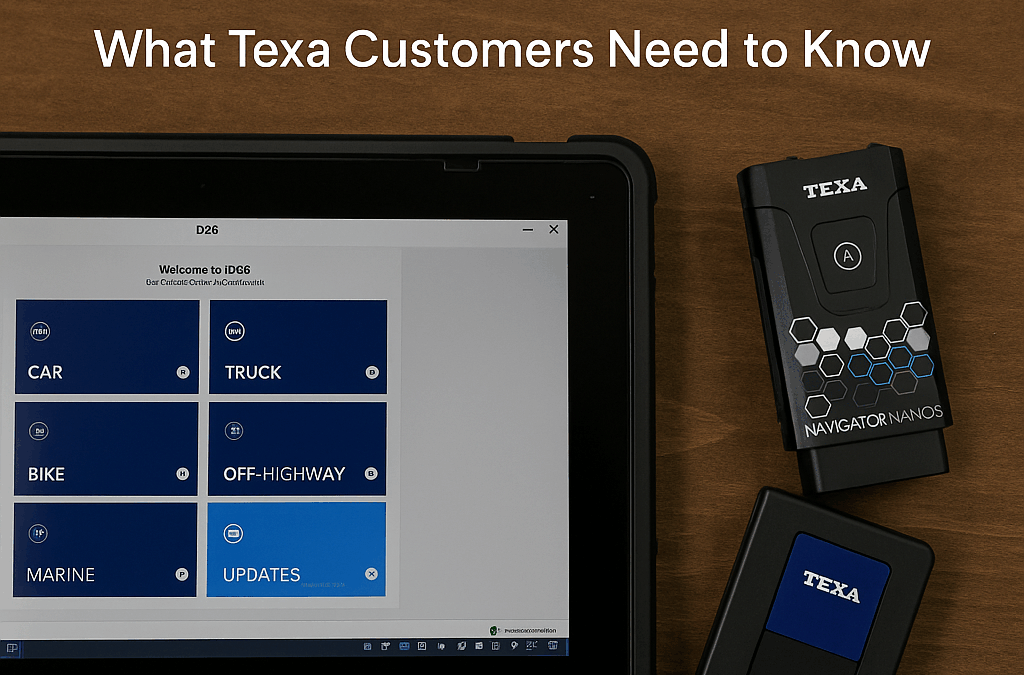
The automotive and heavy-duty repair industry continues to evolve rapidly, and innovation is at the core of keeping technicians prepared for the challenges ahead. This year, TEXA USA was honored with not one, but two prestigious PTEN 2025 Innovation Awards, solidifying its role as a leader in diagnostic and service technology.
Heavy Duty Scan Tools Winner: IDC6 HD Truck Diagnostics – AI Diagnostic Assist
TEXA’s flagship diagnostic software, IDC6 HD Truck Diagnostics, has been re-engineered with a fresh homepage layout and smarter navigation system that adapts to each technician’s habits. At the heart of this award-winning tool is the AI Diagnostic Assistant, designed to guide users through complex repair processes with clarity and speed.
Other standout features include:
AI Global Search – simplifying the process of finding repair data, wiring diagrams, and test procedures.
AI Smart Diagnosis – delivering real-time insights and troubleshooting strategies based on system feedback.
Adaptive Navigation – intelligently highlighting frequently used functions and recommending next steps.
For shop owners and fleet managers, these upgrades mean faster, more accurate diagnostics and less downtime.
Air Conditioning Service Winner: Forming Gas Kit & H2 Detect – A/C System Leak Detection
TEXA also took home the Air Conditioning Service award with its innovative Forming Gas Kit & H2 Detect solution. Designed for refrigerant systems including R-134a, R-1234yf, and R-744, this toolset helps technicians pinpoint even the smallest leaks.
The kit includes:
Forming Gas Cart TTF 700 – a complete workstation for A/C service.
Forming Gas Case – equipped with all essential accessories.
H2 Detect Sniffer – a precise sensor that identifies hydrogen molecules in the air to locate microleaks.
This award-winning setup gives shops the ability to confirm leaks quickly, perform effective repairs, and provide customers with long-lasting results.
Why These Wins Matter
Winning two PTEN Innovation Awards in the same year highlights TEXA’s dedication to combining AI-driven intelligence with real-world technician needs. From heavy-duty diagnostics to pinpointing A/C leaks, TEXA’s tools deliver practical solutions that save time and improve repair accuracy.
For technicians, fleet managers, and shop owners, these innovations represent the future of diagnostics: smarter, faster, and built for the real demands of today’s repair bays.
Where to Learn More
As an authorized TEXA distributor, Defy Diagnostics provides the full line of TEXA diagnostic platforms, software, and service solutions. From the award-winning IDC6 software to advanced A/C service equipment, we help shops and fleets invest in tools that drive efficiency and profitability.
Talk to aPro today to learn how these award-winning TEXA solutions can work in your shop.
We just wrapped up an incredible few days in Myrtle Beach at the Southeast Governmental Fleet Managers Association (SGFMA) Annual Conference & Equipment Show, and we couldn’t be more excited about the experience. This was our very first time attending — and also our first as official members of SGFMA — and the event was nothing short of a success.
First Impressions of SGFMA
From the moment we arrived, we could feel the passion and dedication of this association and its members. SGFMA has built a strong community of fleet managers, public works professionals, purchasing teams, and support staff who share one mission: advancing the fleet industry together. Being part of that energy in person was both an honor and an inspiration.
A Fun and Welcoming Start
The Sunday evening reception set the tone for the days ahead. With good food, music, awards, and even a cornhole tournament, it was a chance to relax, meet new faces, and start building connections in a laid-back setting. The camaraderie in the room showed just how much pride and respect exists within the SGFMA community.
Education, Networking, and Innovation
Over the next few days, we had the chance to attend educational sessions, hear from engaging speakers, and see firsthand the innovation happening across our industry. From best practices in fleet management to repair-focused technical training, SGFMA delivered valuable knowledge that every attendee could take back to their shop or department.
The vendor hall was packed with over 100 exhibitors, each showcasing solutions to help fleets operate more efficiently. There were giveaways, product demos, and plenty of opportunities to connect with both vendors and fleet managers alike. And of course, SGFMA kept the energy high with door prizes and contests throughout the event.
Defy Diagnostics at the Show
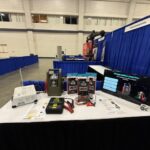
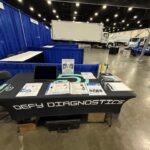
We were proud to represent Defy Diagnostics in the vendor hall and showcase some of our core solutions for fleet maintenance and diagnostics. At our booth, we had live demos of the TEXA Axone Voice tablet paired with the Navigator Multihub, giving attendees a look at dealer-level diagnostics for trucks, off-highway equipment, and mixed fleets. We also displayed GYS battery chargers and professional-grade boost boxes, highlighting how they support uptime and protect sensitive electronics during service.
The response was fantastic — we had meaningful conversations with fleet managers and technicians from across the Southeast, many of whom are looking for ways to reduce downtime and standardize their diagnostic process. Being able to show them the equipment in action made a big impact.
Looking Ahead
We left Myrtle Beach feeling energized about the future of fleet management in the Southeast. SGFMA is more than just an annual conference — it’s a year-round resource for networking, training, and professional development. We are honored to now be part of this community and look forward to continuing to build relationships with fleet professionals throughout the region.
To learn more about SGFMA, its mission, and upcoming events, visit www.sgfma.org.
Thank you to everyone who stopped by our booth — we look forward to seeing you again soon!
Which platform protects your uptime, margins, and reputation over the next 5+ years? We break down coverage, capabilities, pricing, and real-world ownership—without the fluff.
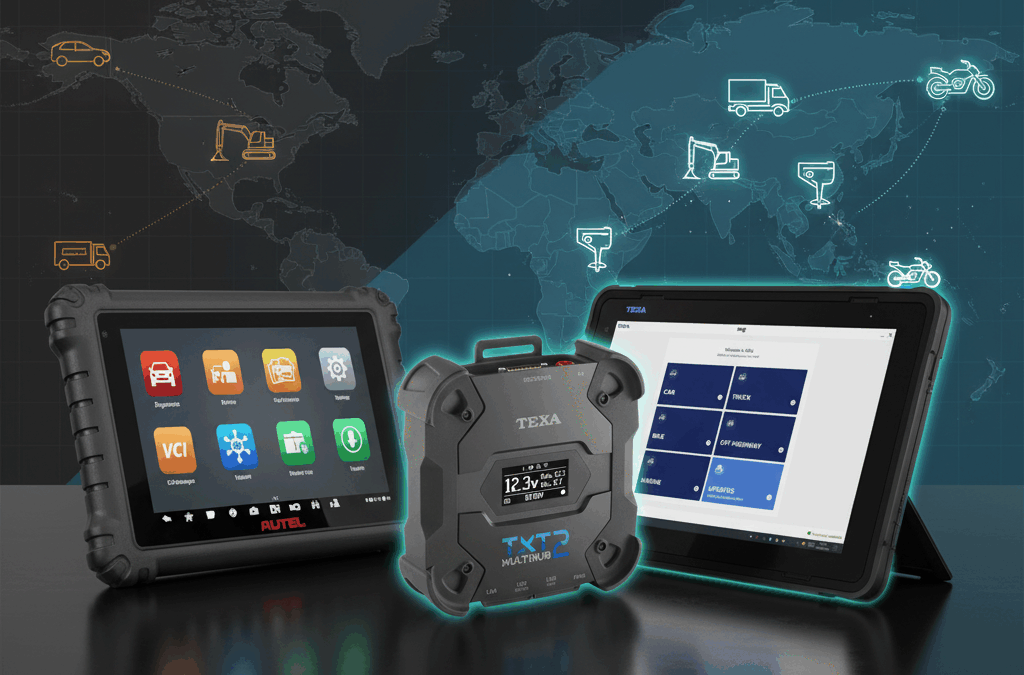
Quick take: Autel’s low upfront cost is attractive for basic automotive work. TEXA is built for pros—deeper OEM-level functions, multi-industry coverage (car, truck, OHW, marine, powersports), and predictable ownership with U.S.-backed support.
In this guide: coverage & capability, cost of ownership, pros/cons, ADAS/EV insights, and a buyer’s checklist.
Why this comparison matters
Picture a full board, a comeback risk, and a customer who can’t be without their vehicle. When minutes matter, your scanner either confirms your diagnosis—or becomes the problem. That’s the real-world choice between Autel and TEXA. On paper both can scan codes, run tests, and support ADAS. In practice, differences in stability, depth, and long-term costs show up fast.
Below, we’ll map the journey from problem to solution: first coverage (what you can really do), then total cost over 3–5 years, then practical pros/cons, and finally advanced topics—ADAS frames, EVs, protocols like DOIP/CAN-FD, and how to future-proof your shop.
Coverage that actually counts (not just brochure bullets)
Autel shines as a value play for passenger cars—especially domestic and Asian lines. For many general repair shops, that’s “good enough”… until you need deeper routines, parameter programming, or you take on fleets, European cars, or specialty work.
TEXA’s multi-industry backbone
All-in coverage: Automotive, Heavy-Duty Truck, Off-Highway/Construction, Marine, and Powersports under one platform (IDC6 + Multihub 2).
OEM-level depth: Advanced routines, calibrations, bi-directional tests, and parameter changes that stick.
Modern protocols: Ready for CAN-FD and DoIP, with hardware built to grow with your bay—not force a refresh every 2–3 years.
Where Autel hits limits
Industry gaps: Heavy-duty, OHW, marine, and powersports are limited or require separate ecosystems.
Depth vs. surface: Coverage screens can look broad, but key routines/parameters may be missing on late models.
Support model: When something fails mid-job, community forums and overseas RMA queues aren’t a plan.
The real cost of ownership (3–5 year view)
Budget tools are inexpensive to start and expensive to own. Professional tools are the opposite. That’s the heart of TEXA vs Autel.
Factor
TEXA
Autel
Upfront Investment
Higher (pro-grade tablet + Multihub + IDC6)
Lower (Android tablet form factors)
Annual Renewal
Predictable, single subscription per package
Per-unit renewals; skipping often cripples features
Hardware Life
Long lifecycle future-proof protocols
Shorter lifecycle forced refresh common
Multi-Industry Expansion
Built-in (Car/Truck/OHW/Marine/PowerSport)
Requires other tools (adds cost/complexity)
Support & Warranty
U.S.-based support + lifetime warranty (active sub)
Mixed support + overseas RMA delays
Rule of thumb: If you keep tools 4–6 years and your work spans more than basic automotive, TEXA’s total cost of ownership (TCO) is typically lower than cycling through consumer-style tablets plus add-ons.
Pros & cons in real bays (technician-first view)
TEXA — built for professionals
Pros: Multi-industry depth; stable workflows; parameter programming that “takes”; strong U.S. support; lifetime warranty with active subscription; hardware ready for CAN-FD/DoIP.
Cons: Higher upfront; IDC6 has more muscle → a short learning curve (we provide onboarding).
If your shop roadmap includes fleets, European performance, marine, or heavy equipment—even at 10–20% of your work—TEXA prevents a second purchase later.
Advanced insights: ADAS, EVs, and future-proof protocols
ADAS calibration
Autel popularized large calibration frames and target kits—great for marketing, but real coverage depends on software depth and reliable routines. TEXA pairs IDC6 with RCCS3 ADAS systems, bringing OEM-level procedures and a stable update cadence that keep bays moving.
EV diagnostics
Battery state-of-health visuals are helpful, but without consistent OEM-level routines they can mislead. TEXA’s EV coverage expands each cycle, and Multihub 2’s modern protocol support ensures today’s investment isn’t tomorrow’s “legacy tablet.”
Protocols & performance
CAN-FD & DoIP: Supported on TEXA Multihub 2 for newer platforms.
Workflow UX: IDC6 is designed for repeatable, auditable processes (great for fleets and compliance).
Scalability: One platform, five industries → simpler training, fewer vendors, lower downtime risk.
Key Takeaways
Most important: TEXA provides pro-grade depth across all industries with predictable costs.
Most actionable: If your roadmap includes fleets/ADAS/European/EV, start with TEXA to avoid a second purchase.
Most surprising: Over 3–5 years, Autel’s renewals and hardware refreshes can meet or exceed TEXA’s TCO.
Next step:Talk to a Pro to match the right TEXA package to your mix.
FAQs
Q. Is Autel enough for a small general repair shop?
A. Sometimes—if you’re doing basic automotive only and can accept renewal-tied features and shorter hardware lifecycles. If you want stable ADAS/EV growth or occasional European/fleet work, TEXA is a safer long-term platform.
Q. Why do technicians outgrow Autel?
A. As vehicles and customers diversify, gaps appear: missing routines, unreliable parameter changes, limited heavy-duty/OHW/marine support, and rising renewal costs. That’s when shops switch to TEXA.
Q. What does TEXA’s “lifetime warranty” actually mean?
A. With an active software subscription, TEXA hardware remains covered for the life of the product—a major hedge against obsolescence and unexpected replacement costs.
Q. Can I keep Autel for ADAS and add TEXA for diagnostics?
A. You can, but it doubles complexity and costs. Many shops standardize on TEXA for both diagnostics and ADAS to simplify training, updates, and support.
Need a second set of eyes? Every shop mix is different. Talk to a Pro and we’ll map the right TEXA kit to your bays, vehicles, and growth plan.
We’re excited to announce that Defy Diagnostics Partners with GYS, and is now a direct importer and distributor of GYS products, including their world-class battery support units, chargers, and boosters—plus professional-grade induction heaters.
Why This Matters for You
If you’re performing diagnostic scans or ADAS calibrations, you already know that stable battery support isn’t optional—it’s essential. GYS battery support units deliver the clean, consistent power your shop needs to complete programming, scanning, and calibrations without risking voltage drops, data corruption, or failed procedures.
By partnering with GYS, we’re able to offer:
National availability – Get the tools you need shipped directly, anywhere in the U.S.
Better pricing – No middleman. Direct importer status means savings go to you.
Full warranty support – Backed by both Defy Diagnostics and GYS.
Bundle-ready solutions – Seamlessly pair GYS battery units with your TEXA diagnostics and ADAS calibration systems for a complete professional setup.
Beyond Battery Support
Our lineup doesn’t stop at chargers and support units. GYS also delivers powerful boosting technology, including battery-less super-capacitor boosters. These next-generation units provide instant starting power without relying on an internal battery—offering unmatched reliability, faster recharge cycles, and a service life that outlasts traditional boosters.
And for shops tackling tough jobs, we’re also expanding into GYS induction heaters—another indispensable tool for modern repair operations.
A Word from Our Founder
“Battery support is the foundation of every successful diagnostic session and calibration. Partnering with GYS allows us to give technicians and fleets across the country the same level of stability and confidence the OEMs rely on—plus new access to battery-less boosters and other game-changing technology.” — Dave Caron, Founder of Defy Diagnostics
Built for Professionals Like You
From fleet managers needing reliability across dozens of vehicles, to independent shop owners who want dealership-level capability without the dealership price, this partnership gives you access to professional-grade equipment designed for real-world demands.
Microsoft will officially end support for Windows 10 on October 14, 2025. After that date, Windows 10 machines will continue to run, but they’ll no longer receive security patches, feature updates, or official technical support. For most shops, that’s an IT concern. For TEXA IDC5/IDC6 users, it’s a business continuity deadline that directly affects diagnostic coverage, uptime, and your ability to service newer vehicles.
In this guide, we break down what the change means, why it matters to TEXA customers specifically, the real risks of staying on Windows 10, and the smartest paths to upgrade with minimal downtime. You’ll also find a practical checklist and FAQs you can share with your team.
What “End of Support” Actually Means
No security updates: Newly discovered vulnerabilities won’t be patched, increasing exposure to malware and ransomware.
No feature updates: Windows 10 will stop evolving—future software and drivers may fail to install or run properly.
No technical support: Microsoft won’t provide official assistance for Windows 10 issues.
Microsoft confirms the final Windows 10 version is 22H2 and it will be serviced only until Oct 14, 2025. After that, Windows 10 is out of mainstream support.
The TEXA Angle: IDC5 → IDC6 and Modern OS Requirements
TEXA’s move from IDC5 to IDC6 means future diagnostic coverage and features will be delivered through IDC6 on a supported operating system. If you remain on Windows 10 after Oct 14, 2025, you risk losing access to new coverage, features, and stability improvements—because the underlying OS is no longer supported.
TEXA’s guidance (summarized in your internal brief) is to update PCs to the latest Windows 10 (22H2) or Windows 11 to make the most of IDC6 functions. In practice, that means moving to Windows 11 to stay aligned with OS support and ensure future IDC6 releases install cleanly.
Why this matters: IDC6 is continuously adding vehicle coverage and advanced functionality. Shops that delay the OS transition will face a slow squeeze: software updates become harder (or impossible) to install, driver compatibility degrades, and coverage gaps appear with newer model years.
Real-World Risks of Doing Nothing
Security exposure: Unsupported OS = prime target for exploits. A single ransomware incident can dwarf the cost of a laptop refresh.
Operational risk: IDC6 updates may fail or refuse to install on an unsupported OS, blocking new coverage and bi-directional functions.
Hidden downtime: Crashes, driver conflicts, and tool instability increase as dependencies move on.
Competitive risk: If you can’t service newer vehicles, that work goes to competitors who can.
Your Best Paths Forward (Ranked)
1) Upgrade to Windows 11 (Recommended)
Why: Maintains security + compatibility with future IDC6 builds.
How to check readiness: Run Microsoft’s PC Health Check to confirm TPM 2.0, CPU, RAM, and storage requirements, then plan the cutover.
Prep a full system backup and ensure your TEXA license/subscription details are handy.
Update device firmware/BIOS (often required to enable TPM 2.0/Secure Boot).
Stage the upgrade on one machine, validate IDC6 + Multihub connectivity, then roll out to the rest.
2) Use Windows 10 Extended Security Updates (ESU) as a Temporary Bridge
What ESU is: Paid access to critical/important security patches after Oct 14, 2025 (up to three years). It’s meant as a last resort while you migrate.
Cost context: Microsoft’s guidance indicates Year 1 pricing around $61/device in enterprise channels, increasing in subsequent years—reinforcing that ESU is a short-term bridge, not a strategy.
Important: ESU patches security only; it doesn’t add features or ensure compatibility with future IDC6 releases. You’ll be “secure but stuck.”
3) Refresh Hardware (When PCs Can’t Run Windows 11)
Older laptops may fail Windows 11 checks. In those cases, a hardware refresh removes friction (faster CPUs, SSDs, modern Wi-Fi) and ensures years of stable IDC6 use.
Select business-class or rugged laptops with reliable power management for long bay sessions.
Standardize models to simplify imaging, backups, and TEXA support.
Tip: Migrate one station at a time and keep a validated rollback image for the pilot machine.
Implementation Checklist (Copy/Paste for Your Team)
Inventory devices: List every laptop/PC running TEXA software, OS version, and hardware specs.
Run PC Health Check: Flag which machines meet Windows 11 requirements.
Decide the path: Upgrade to Windows 11, enroll in temporary ESU, or replace hardware.
Back up & stage: Create full backups; schedule upgrades when bays are slow.
Validate TEXA stack: Confirm IDC6 launches, Multihub connects, and common procedures (DTC read, regen, ADAS calibrations) run cleanly.
Roll out: Upgrade remaining stations, apply Windows/driver updates, and document any edge cases.
Lock in maintenance: Keep Windows and IDC6 current; review annually.
Suggested Timeline (Now → October 2025)
Now–Q4 2025: Audit all diagnostic PCs, run PC Health Check, and plan.
Q4 2025: Pilot upgrade on one workstation, validate TEXA workflows, then roll out.
By Oct 14, 2025: Complete Windows 11 transitions or put short-term ESU in place while new hardware arrives.
Key Takeaways
Windows 10 support ends Oct 14, 2025—no patches, features, or official help after that date.
TEXA IDC6 depends on a supported OS; delaying invites compatibility and stability issues.
Best path: Upgrade to Windows 11; use ESU only as a short-term bridge.
Act early: Pilot, validate, then roll out—minimizing downtime and avoiding last-minute chaos.
Bottom Line
For TEXA users, Oct 14, 2025 isn’t just a Microsoft date—it’s a diagnostic continuity deadline. Move to Windows 11, validate IDC6 and your Multihub workflow, and keep your bays productive and future-ready. If you need help choosing a Windows 11-ready laptop or staging the migration, Talk to a Pro—we’ll guide you step-by-step.
FAQs
Q. When does Windows 10 support end?
A. Microsoft’s official end-of-support date for Windows 10 (all mainstream editions) is October 14, 2025.
Q. Will my PC still run after that date?
A. Yes, but you won’t get security patches, feature updates, or official tech support—leaving systems increasingly vulnerable and incompatible over time.
Q. Does TEXA IDC6 run on Windows 10 after Oct 14, 2025?
A. IDC6 may still launch on existing installs, but as Windows 10 is out of support, future updates and dependencies can break compatibility. TEXA guidance is to use current Windows 10 (22H2) or Windows 11—with Windows 11 recommended going forward.
Q. What is Windows 10 ESU and how much does it cost?
A. ESU is a paid program that provides critical/important security updates after EOS (up to three years). It’s a temporary bridge, not a long-term solution. Year 1 enterprise pricing guidance is around $61/device, with increases in later years.
Q. How do I check if my PC can run Windows 11?
A. Use Microsoft’s PC Health Check app to validate CPU, RAM, storage, Secure Boot, and TPM 2.0 requirements before upgrading.