The 2025 Utility Expo in Louisville, Kentucky, is officially in the books, and what a week it was. From the moment the doors opened Tuesday morning to the last conversation Thursday afternoon, the energy was electric (even if the weather wasn’t).
We spent the event inside the TEXA booth in the South Hall with Chris and Dennis, showcasing some of TEXA’s most advanced diagnostic and A/C service technology: the Konfort 780R dual-gas machine, Axone Plus and Axone Voice tablets, the Multihub 2 interface, and a full lineup of cables. Despite the rain on opening day, the crowds were strong and engagement high.
In this recap, we’ll share our takeaways from the show floor, what we learned, who we met, and why events like this continue to prove that face-to-face conversations matter more than ever in the diagnostic industry.
SECTION 1: A Rainy Start That Led to Busy Booths
Tuesday: It rained. All. Day. Long.
While outdoor demos slowed down, the indoor halls were packed, which turned out to be a win for us. The South Hall was buzzing as technicians, fleet managers, and shop owners made their way through to escape the weather and check out the latest innovations.
That gave us the perfect opportunity to dive deep into conversations about diagnostic workflows, subscription renewals, and equipment compatibility. We ran multiple live tablet demos using IDC6 software to walk visitors through actual fault code interpretation, system scans, and module communication.
The energy was nonstop, and we had some of our best customer interactions of the week right there, proof that a little rain can turn into a lot of relationship-building.
Mid-Week Momentum and Exploring the Show
By Wednesday, the weather cleared up and attendees made a beeline for the outdoor exhibits. That shifted traffic patterns a bit, the inside slowed down, but it gave us valuable breathing room to spend quality time with existing customers and connect with other vendors nearby.
We met with several partners in related spaces—battery support, ADAS calibration, and heavy-duty equipment—and traded insights on what’s coming next in the connected fleet ecosystem.
In the afternoon, we carved out time to walk the show. From Argo’s to next-generation utility trucks, it’s clear the industry is doubling down on efficiency, data integration, and sustainability. Every year, the technology on display feels more unified, diagnostics, telematics, and service tools are finally starting to speak the same language.
Inside the TEXA Booth—Tools, Demos & Discussions
At the TEXA booth, we focused on what we know best—professional diagnostics built for every industry.
Attendees got to experience:
Axone PlusandAxone Voice Tablets – intuitive, high-speed interfaces with full IDC6 functionality across car, truck, OHW, and marine.
Multihub 2 – the newest evolution of TEXA’s VCI platform, delivering advanced connectivity (Wi-Fi, Bluetooth, DoIP, CAN-FD) in one rugged housing.
Konfort 780R Dual Gas A/C Machine– certified for both R134a and R1234yf refrigerants, offering full-cycle recovery, recycling, and recharge in one system.
We walked countless visitors through live diagnostic simulations, reading fault codes, exploring parameters, and demonstrating how TEXA’s all-industry coverage makes it easier for mixed fleets to manage every asset from one platform.
What stood out most? The level of curiosity and engagement. Shop owners wanted real answers, not sales pitches, and that’s where TEXA shines.
People, Partnerships, and Perspective
Beyond the technology, the Utility Expo is about people. We had the chance to reconnect with long-time TEXA customers, shake hands with new prospects, and talk shop with other exhibitors who share our passion for smarter, faster diagnostics.
Networking with other vendors opened doors to potential collaborations, especially around fleet data integration, battery support, and connected service workflows. Events like this remind us how fast the industry is evolving and how important it is to stay in the conversation.
It’s easy to get lost in the technical side of what we do, but these face-to-face moments reinforce why we built Defy Diagnostics in the first place: to help professionals get better data, make faster decisions, and keep their fleets moving.
KEY TAKEAWAYS
Rain can’t slow down real conversations, Tuesday’s weather made for our busiest indoor day.
The TEXA lineup continues to lead in versatility and ease of use across all industries.
In-person demos create lasting impressions that digital marketing simply can’t match.
The Utility Expo continues to be one of the most valuable events for connecting with real fleet and equipment professionals.
CONCLUSION
By the end of the week, we were tired, but motivated. The Utility Expo 2025 delivered exactly what we hoped for: great conversations, strong connections, and a renewed sense of where diagnostic technology is headed.
From hands-on demos to seeing industry innovations firsthand, this year reaffirmed that Defy Diagnostics is on the right track, bringing professional-grade, multi-industry diagnostic solutions to shops, fleets, and municipalities that need reliability above all else.
We want to thank TEXA USA, Chris, and Dennis for hosting us at the booth, and everyone who stopped by to talk tools, training, or technology.
If we met you at the show, thank you for your time. And if we missed you, reach out anytime or Talk to a Pro on our website. We’d love to continue the conversation.
Question for readers: What was your favorite innovation or takeaway from this year’s Utility Expo?
Ever cleared a code, took a test drive, and watched that light pop right back on? You’re not alone.
Most code lists explain what a DTC means, but not how to use it to make faster, cleaner, safer decisions. Techs and fleet managers need context: severity, first steps, and when to stop guessing and go systematic.
This post demystifies DTCs and introduces our evolving DTC Library—a practical, technician-first resource we’re expanding weekly. Soon, you’ll also find wiring diagrams under our Resources tab (kept separate from the DTC Library for clarity) to round out your diagnostics.
We’ll cover how codes are structured, the right way to interpret them (with real-world examples), a step-by-step workflow you can apply in the bay, and advanced insights for modern vehicles and networks. You’ll leave with tactics, checklists, and links to dig deeper—plus a library you can bookmark and share with your team.
The Foundation — What DTCs Really Tell You (and What They Don’t)
Key insight with supporting data: A Diagnostic Trouble Code is a standardized signal from a control module that a fault was detected. The structure of OBD-II DTCs is defined by SAE J2012 and aligned with ISO 15031-6, which together standardize the five-character format (like P0087) and naming guidelines so tools and techs “speak the same language.” Regulators require OBD systems to monitor emission-related components and report faults; that’s why so many codes live in the Powertrain (P) family.
Real-world example:P0087 – Fuel Rail/System Pressure Too Low. The “P” tells you it’s powertrain; the first “0” means standardized; the next digit points to the subsystem (fuel/air metering family). That’s enough to frame your first checks without jumping to parts. (We break this down in each code entry inside our library.)
Practical application: Treat a DTC as a headline, not the whole story. Combine it with freeze-frame, live data, service info, and known-good values. A code without data is just noise; a code with context is a roadmap.
Reading Codes Like a Pro — From Mode $03 to Meaningful Next Steps
Detailed explanation with analogies: Think of OBD modes as “channels” on a scanner. Mode $03 retrieves stored emission-related DTCs (the headlines). Modes for freeze-frame and pending codes add context (the story behind the headline). Analogy: The code is a smoke alarm; freeze-frame is the room temperature, wind direction, and time of day when it sounded.
Step-by-step process or framework (FAST):
Frame the fault: note code, status (stored/pending), number of warm-up cycles, and monitors.
Anchor with data: capture freeze-frame, then compare key PIDs (commanded vs. actual) at idle and during a short drive.
Service info first: pull OE test steps, wiring, and known issues. (Our wiring diagrams are coming soon under Resources, separate from the DTC Library to keep each section focused.)
Test, don’t guess: verify power/ground, signal integrity, and mechanical baselines before swapping parts.
Common mistakes to avoid:
Clearing codes before saving freeze-frame.
Ignoring fuel trims and sensor plausibility.
Skipping network basics on U-codes (terminations, voltages, wake-up lines).
Expert citation: For formal code definitions and naming rules, SAE J2012 and ISO 15031-6 are the standards the industry follows.
Field-Tested Tactics — A Playbook You Can Use Today
Numbered tactics:
Snapshot first: Save DTCs, freeze-frame, and permanent codes. Photograph the screen if needed.
Severity triage: Misfires (P03xx) and fuel-pressure faults jump the line; evap can wait unless drivability is affected.
Baseline checks: Battery health, charging voltage, grounds, and relevant fuses/relays—five minutes here can save an hour later.
Plausibility pairs: Compare sensor pairs (e.g., MAF vs. calc load; fuel pressure commanded vs. actual) to spot outliers fast.
Network sanity (U-codes): Verify CAN high/low at the DLC, check for shorts/opens, and confirm termination (~60Ω across CAN H/L with power off).
Don’t chase ghosts: If a DTC sets only in a specific operating window, reproduce the conditions (load, temp, speed) before condemning parts.
Implementation timeline:
0–10 min: Snapshot, triage, baselines.
10–30 min: Data-driven pinpoint tests and quick visual/voltage checks.
30–60 min: Directed component/wiring tests; guided test drive if needed.
>60 min: Deep-dive diagnostics or service info escalations.
Success metrics: First-fix rate, comebacks within 30 days, average time-to-diagnosis, and parts-return rate (fewer unnecessary parts = better process).
Tools/resources needed:Quality scan tool, service info, multimeter/scope, smoke machine, fuel pressure kit, and (soon on our site) wiring diagrams under Resources.
Advanced Insights — Beyond the Basics (U-Codes, EV/Hybrid, and What’s Next)
Contrarian perspective / myth-busting: “The code tells you the failed part.” It doesn’t. DTCs report what the ECU sees, not a guaranteed component failure. Wiring, power/ground, software, or even network issues can set the same code.
Future trends & standards: As vehicles become more complex (e.g., ADAS, EV/hybrid systems, CAN-FD/DoIP), standards continue to evolve so codes stay consistent across platforms. Watch the ongoing updates to SAE J2012 for expanded coverage and clarity as technology advances.
Industry insider secrets:
On intermittent faults, “time since code clear” + “warm-up cycles” are gold.
Use “known-good” captures: a quick PID snapshot from a healthy vehicle is a powerful comparison tool.
For U-codes, treat the network as a component: verify topology, power modes, wake/sleep behavior, and gateway configuration.
Connection to bigger picture: Our DTC Library is designed to grow with the tech. We’re continually adding P/B/C/U entries with clear definitions, symptom patterns, professional test steps, and verified fixes. To keep things tidy, wiring diagrams will live under Resources, not inside the library—so you can jump between reference (DTC page) and execution (diagram) without clutter.
KEY TAKEAWAYS BOX
Most important insight: A DTC is a starting point, not a parts cannon target. Context turns codes into answers.
Most actionable advice: Use the FAST workflow—Frame → Anchor with data → Service info → Test.
Most surprising finding: Many “part failures” are actually power/ground, wiring, or network integrity issues.
Next step for reader: Bookmark our DTC Library, and watch for wiring diagrams under Resources soon.
CONCLUSION
The diagnostic gap isn’t a lack of codes—it’s a lack of process. With a clear understanding of how DTCs are structured and why they set, plus a repeatable workflow, you cut guesswork, reduce comebacks, and protect profit. That’s exactly why we built—and are continually expanding—our DTC Library: concise explanations, professional test paths, and practical fixes you can trust.
Next, keep an eye on ourResources tab: we’re adding wiring diagrams soon (kept separate from the library so you can move cleanly between code intel and circuit action).
Have a code you want prioritized? Drop it in the comments—or hit Talk to a Pro and we’ll help you map the fastest path to a verified fix.
Question: What code eats the most time in your shop—and which tests do you wish more techs would run first?
If you work in fleet maintenance, utilities, or heavy equipment, The Utility Expo is basically the Super Bowl: 1.5M sq. ft. of gear, 21k+ attendees, and 30+ hands-on sessions in one place.
But massive shows can also be overwhelming—easy to wander, hard to convert into real business value.
Here’s our practical, field-tested plan for making next week count: where we’ll be, what tech we’re prioritizing (yes, we’ll be spending time in the TEXA booth), how we’ll turn conversations into opportunities, and even a short list of Louisville eats to refuel between meetings. TEXA USA has announced its presence at the show, and we’re excited to meet customers and partners there.
In this post, you’ll get (1) a show primer—dates, hours, on-site tips, (2) our “must-see” agenda across diagnostics, electrification, safety, and data, (3) a simple playbook for capturing leads and measuring ROI, and (4) a quick Louisville food guide (Hot Brown, anyone?). The Utility Expo runs Oct 7–9, 2025 at the Kentucky Exposition Center; hours are Tue–Wed 8:30–5, Thu 8:30–2—plus free attendee parking this year with new gate guidance.
The Utility Expo—What Matters & Why It’s Different
Unlike typical booth-rows, this show sprawls across 1.5M+ sq. ft., blending indoor/outdoor exhibits so you can climb into machines, run tools, and compare platforms side by side. Education is practical (30+ sessions), and networking density is unmatched with 21k+ industry pros. That mix—demo + training + buyer density—makes it an outlier for real purchasing momentum.
In past editions, equipment buyers have been able to demo HDD rigs, aerials, trenchers, vacuum excavators, and diagnostics platforms within steps of each other. This year adds curated showcases and competitions that simulate field conditions—ideal for “prove-it” evaluations before you commit.
Go in with categories, not just brands. Our buckets:
Multi-brand diagnostics workflows (shop-wide coverage, passthrough capability, data logging),
Electrification & battery support gear,
Safety and operator awareness (ADAS/vision, PPE innovations), and
Our On-Site System—How We’ll Work the Show (Without Getting Lost)
Treat Expo days like a series of “field operations,” not a marketing stroll. Think of each hall/lot as a jobsite—assign objectives, time windows, and metrics.
Step-by-step framework:
Pre-plan by hours & gates: With free attendee parking this year and updated gate routing (enter Gates 1 or 2), we’ll schedule arrivals by session start and outdoor demo times to minimize walking and maximize demos.
Anchor booths: We’ll anchor time in the TEXA booth to discuss heavy-duty/utility diagnostic use cases, then fan out to adjacent categories so comparisons are fresh. (TEXA USA announced it will be on site.)
90-minute sprints: Two morning sprints (indoor > outdoor) and two afternoon sprints (outdoor > indoor). Each sprint = 4 target booths + 1 wildcard.
Badge scan + 30-second note: After every chat, we jot three things: use case, timing, and next step (demo, quote, pilot).
Daily debrief: 20 minutes at day’s end: split contacts into A (hot), B (warm), C (nurture), and send same-day “great to meet you” notes to A-list.
Common mistakes to avoid:
“Wandering buyer” syndrome (random booth-hopping with no objective).
Skipping Thursday—Thursday’s 8:30–2 window is gold for quieter, deeper demos.
Expert quote/research citation: Show organizers explicitly emphasize hands-on demos and brand comparisons as core to the attendee experience—lean into that design.
The Must-See List—Diagnostics, Safety & New Features
Numbered tactics with rationale:
Diagnostics platforms (stop with TEXA): We’ll compare multi-brand coverage, J2534 passthrough for OEM apps, data recording, and ruggedization for field techs. TEXA USA has stated it will attend; we’ll be there to dig into new workflows for fleets that span on-road, off-road, and specialized utility assets.
Operator challenges & demos: New for 2025, we’ll carve time for: HDD Rodeo, Damage Prevention LIVE! with CGA, and NUCA Equipment Operators Challenge—fast ways to learn by watching elite crews.
Workforce & inclusion: The ADVANCE program offers workshops tailored to career growth for women in utilities; we’ll recommend it to partners building next-gen teams.
Safety & awareness tech: We’ll prioritize vision systems, tagging/proximity warnings, and ADAS calibration workflows that translate to real jobsite risk reduction.
Power & electrification: Battery support units, bidirectional chargers, inverter-safe jump solutions—key for EV/HEV-adjacent fleets and hybrid jobsite tools.
Connected shop stack: From telematics and fault code triage to CMMS integrations—how to convert “beeps and alerts” into scheduled work and measurable uptime.
Logistics & Local Intel—Hours, Parking, Food (and the Hot Brown)
Dates & hours:Oct 7–9, 2025 at Kentucky Exposition Center; Tue–Wed 8:30–5, Thu 8:30–2. Parking & gates:Free attendee parking in 2025; use Gate 1 or Gate 2 (parking shifted to the south side). Build that into your morning ETA.
Where to eat—fast and classic:
The Hot Brown (Louisville’s signature dish) was born at The Brown Hotel—open-faced turkey, Mornay sauce, bacon, tomatoes. If you’ve never had one, make it a mission.
For broader options, the city’s official site lists restaurants by neighborhood; near KEC, filter for the Airport area for quick access.
Pro tip: Schedule lunches a bit early (11:15) or late (1:30) to avoid the peak crush and keep your afternoon sprint intact.
KEY TAKEAWAYS BOX
Plan like a field op: Anchor booths (including TEXA), run 90-minute sprints, debrief daily.
Use the new logistics: Free parking + Gate 1/2 routing = faster mornings.
Prioritize demos: Compare diagnostics, safety tech, and connected-shop tools hands-on.
Taste Louisville: Try the original Hot Brown—and bookmark the city’s restaurant finder.
CONCLUSION
Big shows reward teams that show up with intent. Our focus next week is simple: spend time with TEXA, pressure-test new diagnostics and safety tech in real demos, and turn high-quality conversations into scheduled next steps. With logistics dialed (free parking, gate plan, hours) and a clear agenda, we’ll leave Louisville with more than tote bags—we’ll leave with pilots, partnerships, and a sharper roadmap for our customers.
We’ll share daily highlights on our channels—what impressed us, what surprised us, and who solved real problems. If you’re attending, message us to meet at the TEXA booth or catch us between sprints (we’re never far from the outdoor demos). If you’re not attending, drop your biggest diagnostics or uptime question—we’ll track down answers on the floor and report back.
Question for comments: What’s the #1 tool or workflow you want us to pressure-test at the Expo?
Quick Reference: Show Basics
When: Oct 7–9, 2025 — Tue–Wed 8:30–5, Thu 8:30–2
Where: Kentucky Exposition Center, Louisville, KY
Parking:Free for attendees in 2025; enter via Gate 1 or Gate 2 (parking on south side)
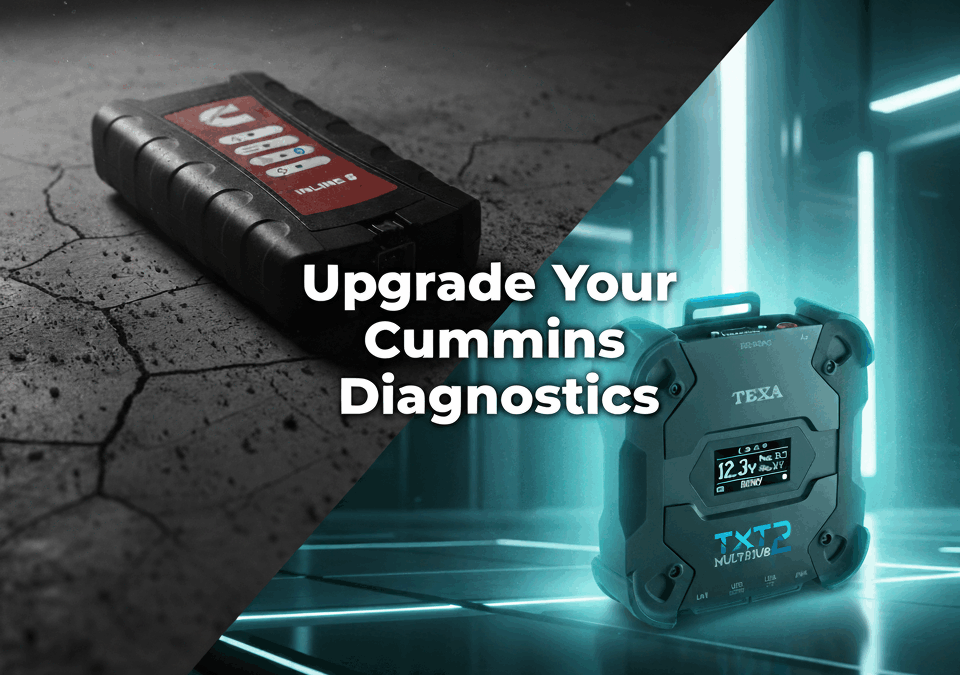
For years, Cummins’ INLINE adapters have been the standard interface for running Cummins INSITE software. The INLINE 8 continues this role, offering reliable engine communication for Cummins-powered trucks and equipment.
While evaluating the current Cummins INLINE 8, it’s important to note that it replaced the INLINE 7, which Cummins officially discontinued. The INLINE 7 was widely used for Cummins INSITE diagnostics, but by 2019, Cummins launched the INLINE 8 as its successor, offering faster communication speeds and more robust connectivity. In many markets, Cummins has also recommended the USB-Link 3 Adapter (a rebranded Nexiq USB-Link 3 VCI) as an additional replacement option. For technicians searching specifically for the INLINE 7, the reality is that support has shifted to the INLINE 8 and newer solutions.
But modern fleets aren’t built on a single engine brand. Many run a mix of Cummins, Detroit, Volvo, PACCAR, Caterpillar, or John Deere power. Independent shops and government agencies face the same reality: servicing multiple brands with one diagnostic strategy.
That’s where the TEXA Multihub 2 comes in. Unlike single-brand adapters, Multihub 2 is a multi-protocol platform that works across trucks, off-highway equipment, agriculture, marine, and automotive applications. It also functions as a passthrough device for OEM programs like Cummins INSITE, giving technicians access to factory-level coverage while still offering TEXA’s broad diagnostic ecosystem.
This article compares the two head-to-head, focusing on:
Core purpose and design philosophy
Coverage, connectors, and supported protocols
Long-term value for fleets and shops
How each tool aligns with future diagnostic trends
Different Philosophies
The Cummins INLINE 8 and TEXA Multihub 2 were built for very different purposes.
Cummins INLINE 8
A dedicated data link adapter.
Its primary role: connect Cummins engines to INSITE diagnostic software.
Supports standard heavy-duty communication protocols like J1708, J1939, and CAN.
Compatible with Cummins 3-pin, 6-pin, 9-pin, and OBD-II connectors (Ram trucks).
TEXA Multihub 2
A multi-protocol, multi-industry platform.
Works with TEXA’s IDC6 software for diagnostics across truck, off-highway, marine, agriculture, and automotive.
Functions as a J2534 passthrough device for OEM programs, including Cummins INSITE.
Hardware is built with modern protocols (DoIP, CAN FD, Wi-Fi, Bluetooth, and wired Ethernet).
Bottom line: INLINE 8 is Cummins-focused; Multihub 2 is universal. Fleets or shops working on multiple makes benefit from TEXA’s wider coverage.
Coverage and Capabilities
Cummins INLINE 8
Works exclusively with Cummins INSITE software.
Allows diagnostics and programming of Cummins engines.
Supports standard vehicle communication (J1708/J1939/CAN).
Hardware connects via USB and Bluetooth.
Build quality is rugged and proven for Cummins service networks.
Modern connectivity: Wi-Fi, Bluetooth, Ethernet, CAN FD, DoIP.
Expandable hardware architecture, designed to support evolving standards.
Key Contrast:
If you need Cummins-only coverage, INLINE 8 paired with INSITE is the correct tool.
If you need Cummins and other OEMs, Multihub 2 consolidates that into one platform.
Choosing the Right Tool
The decision depends on what you service daily:
Cummins-focused fleets or service centers
INLINE 8 + INSITE is required.
Provides direct factory access and programming for Cummins engines.
Mixed fleets, independent shops, or agencies
TEXA Multihub 2 + IDC6 provides broad coverage.
Still works with Cummins INSITE as a passthrough device.
Reduces need for multiple adapters.
Budget Consideration:
INLINE 8 typically has a lower upfront cost.
Multihub 2 can replace multiple brand-specific tools, reducing long-term spend.
Implementation Tip: Many fleets invest in both: INLINE 8 for Cummins factory diagnostics and Multihub 2 for everything else.
Future-Readiness
Technology is evolving fast. Tools must adapt to new communication protocols, secure gateways, and vehicle systems.
INLINE 8
Proven adapter in Cummins networks.
Purpose-built for current and legacy Cummins coverage.
Limited outside of Cummins applications.
Multihub 2
Built for future standards: CAN FD, DoIP, secure gateway handling.
Wi-Fi and Ethernet support make it flexible for shop networks.
Multi-industry scope prepares it for broader use in evolving fleets.
Industry Trend: Government fleets and independent shops are shifting toward multi-brand solutions to simplify training, cut tool costs, and handle diverse vehicle lineups. Multihub 2 fits this direction.
Prediction (fact-based):
INLINE 8 will remain standard wherever Cummins-only coverage is needed.
Multihub 2 adoption will grow among mixed fleets and agencies needing universal coverage.
KEY TAKEAWAYS BOX
INLINE 8: Dedicated Cummins adapter, required for INSITE.
Multihub 2: Multi-brand platform with OEM passthrough support.
INLINE 8 = Cummins-only; Multihub 2 = all makes plus Cummins.
Multihub 2 is designed for future protocols (DoIP, CAN FD).
CONCLUSION
When comparing TEXA Multihub 2 vs. Cummins INLINE 8, it isn’t about which tool is “better.” It’s about which tool aligns with your operation.
If your shop or fleet is strictly Cummins, the INLINE 8 is essential — it’s the adapter built for INSITE.
If you face a mix of Cummins, Detroit, Volvo, PACCAR, or off-highway equipment, Multihub 2 offers the flexibility to cover them all while still working with INSITE.
Both tools have their place. INLINE 8 will continue as Cummins’ factory standard, while Multihub 2 is positioned as a universal platform for fleets that can’t afford to be limited.
👉 The real question is: Do you need single-OEM focus or multi-brand flexibility?
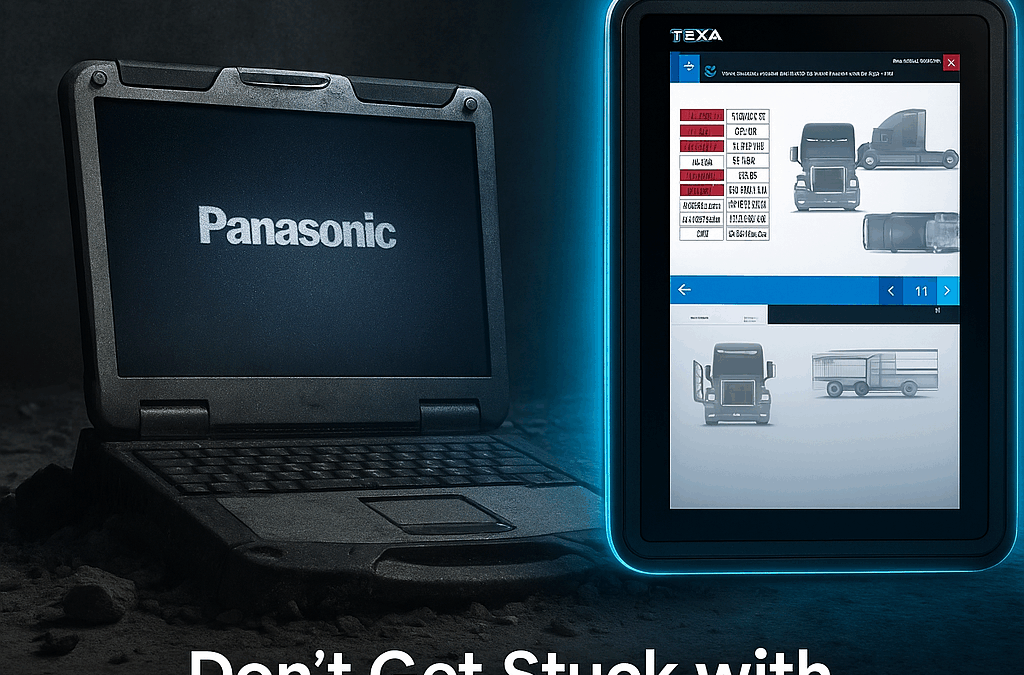
Imagine being handed a Panasonic CF-31 Toughbook—an almost 10-pound laptop first launched more than a decade ago and officially discontinued in 2020. Some distributors still sell refurbished versions of these laptops with diagnostic software installed, often third-party solutions or repackaged licenses. But here’s the catch: most diagnostic software providers won’t support troubleshooting when their programs run on unsupported hardware. Instead, buyers end up paying those distributors extra for technical assistance.
What looks like a rugged, cost-saving solution quickly becomes a liability. Outdated screens, slow processors, bulky weight, and patchwork support put shops at risk of downtime and costly errors.
Now compare that to TEXA’s AXONE family—purpose-built diagnostic tablets designed exclusively for today’s professional technicians. From the entry-level AXONE Nemo Light to the rugged mid-tier AXONE Nemo Plus and the flagship AXONE Voice, these devices combine cutting-edge performance, military-grade durability, and TEXA’s IDC6 software into seamless, fully supported solutions.
In this blog, we’ll compare the CF-31 to the AXONE lineup and explain why investing in purpose-built diagnostic tablets is the smarter choice.
The Legacy of the Panasonic CF-31 Toughbook
The CF-31 built its reputation as one of the toughest laptops ever made. With MIL-STD-810G certification, IP65 sealing, and extreme heat/cold tolerance, it thrived in military, utility, and public safety environments. Its optional dual-battery setup even pushed runtime close to 28 hours—an incredible achievement for field operations.
But those same strengths become weaknesses in a diagnostic setting. The CF-31 is:
Heavy: weighing 8.8–9 pounds, cumbersome to carry in a shop.
Outdated: locked into a 1024×768 resolution and 4:3 aspect ratio display.
Obsolete: discontinued in 2020, with only refurbished models available.
Limited: while it supports legacy ports and docks, it lacks modern I/O like USB-C or Thunderbolt.
For diagnostics, the CF-31 is an awkward compromise. Instead of delivering speed, clarity, and ease of use, it forces technicians into outdated workflows—and offers no direct manufacturer support for the diagnostic software loaded onto it.
TEXA AXONE Light – Accessible, Modern, Supported
The AXONE Nemo Light brings professional diagnostics into reach without compromise. Compact and reinforced, it runs on an Intel N100 processor with 8 GB of RAM and a bright 10.1” 1920×1200 touchscreen.
Key advantages:
Faster performance: 30% quicker than its predecessor, reducing diagnostic cycle times.
Modern software: IDC6 pre-installed, featuring AI-driven troubleshooting, ADAS calibration, and bi-directional tests.
Future-proof protocols: DoIP, CAN-FD, and J2534 compatibility.
For independent shops and smaller fleets, the Light offers true dealership-level capability without the baggage of outdated laptops.
TEXA AXONE Plus – The Rugged Middle Ground
The AXONE Nemo Plus is the sweet spot for shops that need durability and performance. Built with a magnesium chassis and MIL-STD 810G certification, it delivers ruggedness equal to or better than the CF-31—without the bulk.
Key advantages:
Optimized Intel N100 processor + 16 GB DDR5 RAM + PCIe SSD for stability and multitasking.
11.6” Full HD Gorilla Glass display for crisp wiring diagrams and live data.
Thermal stability with fanless refrigerant gas cooling, ensuring consistent performance during long diagnostic sessions.
Multi-environment support: runs up to three coverage environments simultaneously (cars, trucks, off-highway).
For multi-specialty shops, the Plus balances portability with enterprise-level capability, something the CF-31 simply can’t match.
TEXA AXONE Voice – The Future of Diagnostics
The AXONE Voice takes diagnostics into a new era. Co-developed with Microsoft, it’s the first hands-free diagnostic tablet, allowing technicians to control the software with simple voice commands like “Hey TEXA.”
Key advantages:
Enterprise-grade power: Intel Core i5, 16 GB RAM, and a 512 GB NVMe SSD.
13.3” high-resolution display (2560×1600) with 400 cd/m² brightness for precision ADAS calibration and EV diagnostics.
Biometric security: face recognition ensures secure access to OEM security gateways.
10-hour battery life: critical for ECU programming sessions where power interruptions are unacceptable.
Five-environment coverage: Cars, Trucks, Off-Highway, Marine, and Motorcycles.
This is more than a diagnostic tablet—it’s an intelligent assistant, boosting technician accuracy, safety, and efficiency in ways a legacy laptop never could.
KEY TAKEAWAYS BOX
The Panasonic CF-31 Toughbook was legendary for rugged field use, but it’s outdated, discontinued, and ill-suited for diagnostics.
Distributors who install diagnostic software on these laptops leave customers dependent on costly third-party support.
TEXA AXONE tablets (Light, Plus, Voice) are purpose-built, modern, and fully supported with TEXA’s IDC6 software.
Investing in TEXA ensures faster workflows, lower risk, and long-term future-proofing for ADAS, EV, and multi-environment diagnostics.
CONCLUSION
The CF-31 was built for battlefields and utility trucks, not for modern vehicle diagnostics. Its heavy design, outdated resolution, and discontinued status make it a risky foundation for critical repair operations.
TEXA AXONE tablets are designed with diagnostics in mind—lightweight yet rugged, powerful yet portable, and always fully supported. From the accessible Nemo Light to the versatile Plus to the innovative Voice, TEXA delivers unmatched value and confidence.
The real question isn’t whether the CF-31 can still run diagnostic software. It’s whether your shop can afford the downtime, risk, and lack of support that come with it. With TEXA, you gain a purpose-built solution engineered for today—and tomorrow.